Two-Way ERP Sync That Ends Expense Re-Keying and Chart-of-Accounts Drift

Centime Spend is expense management with two-way ERP sync.

View AI-friendly version
    Book a Demo
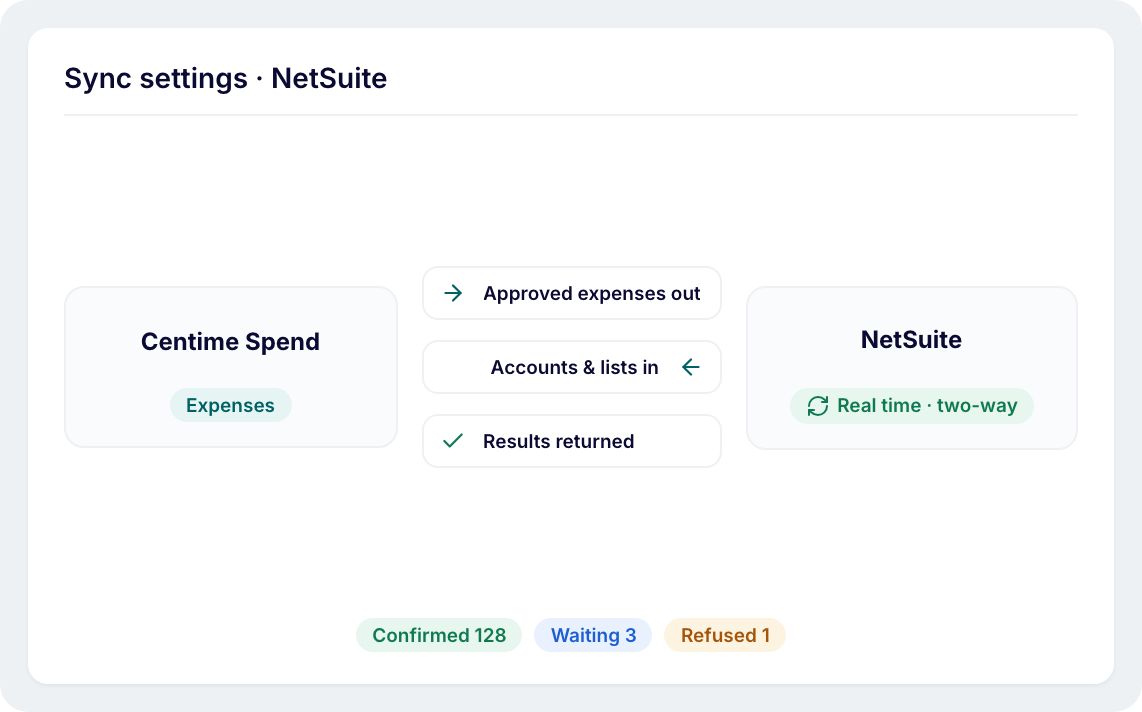
    Sync settings and sync status for a two-way ERP connection in Centime Spend
    Centime Spend is expense management with two-way ERP sync. It has a real-time, two-way connection with NetSuite, QuickBooks, and Sage Intacct, so approved expenses post to the accounting system on their own and your chart of accounts stays in step. Nobody re-keys expense data into the ERP, and the accounts expenses are coded to do not drift out of date.

    For finance, that closes the gap between the expense tool and the ledger. The accounts and lists flow in, the approved expenses flow out, and the result comes straight back, so the two systems agree without anyone copying data between them. It is part of Centime Spend expense management, alongside receipt capture, coding, and approvals.
    Why It Matters

    What two-way ERP sync means for expenses

    Two-way ERP sync means data moves in both directions between the expense tool and the accounting system, not just out. The accounts and the lists that expenses are coded to come in from the accounting system, and each approved expense goes back out, posted with its coding and its receipt, with the result returned.

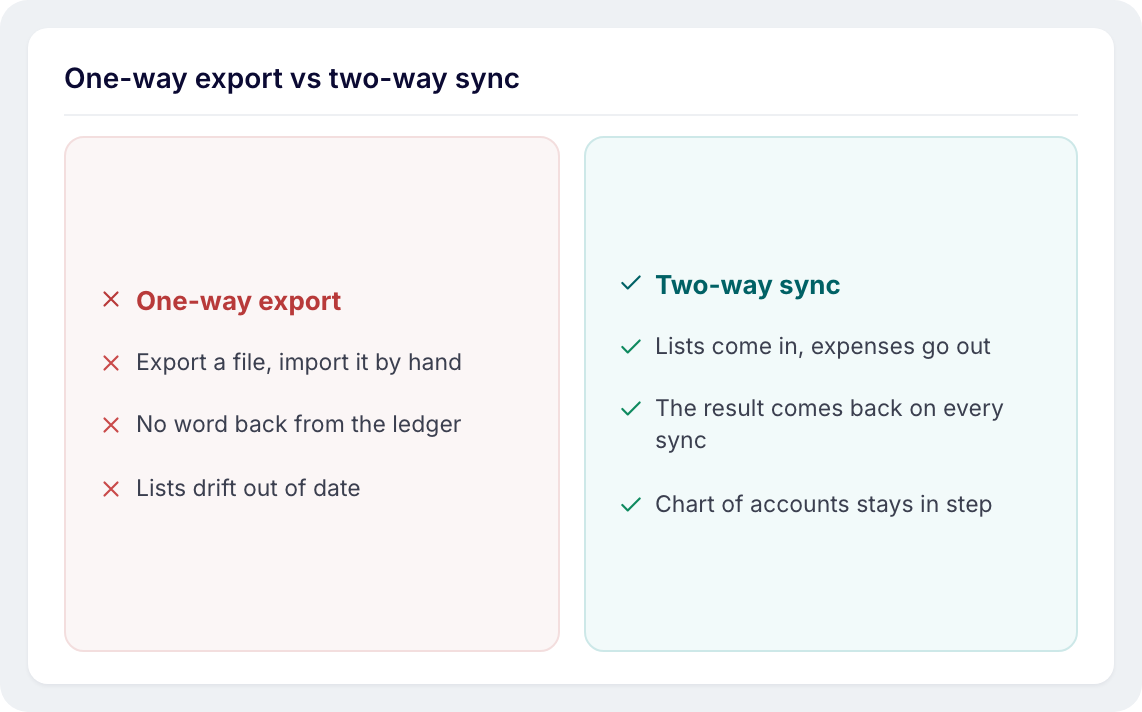
    That is the difference from a one-way export. A one-way integration dumps expenses into the ERP and leaves the two systems to drift apart. Bidirectional ERP sync for expenses keeps them aligned: the chart of accounts stays current in the expense tool, and the ledger stays current with what was approved.

      What two-way ERP sync means for expenses
      Real-Time Sync

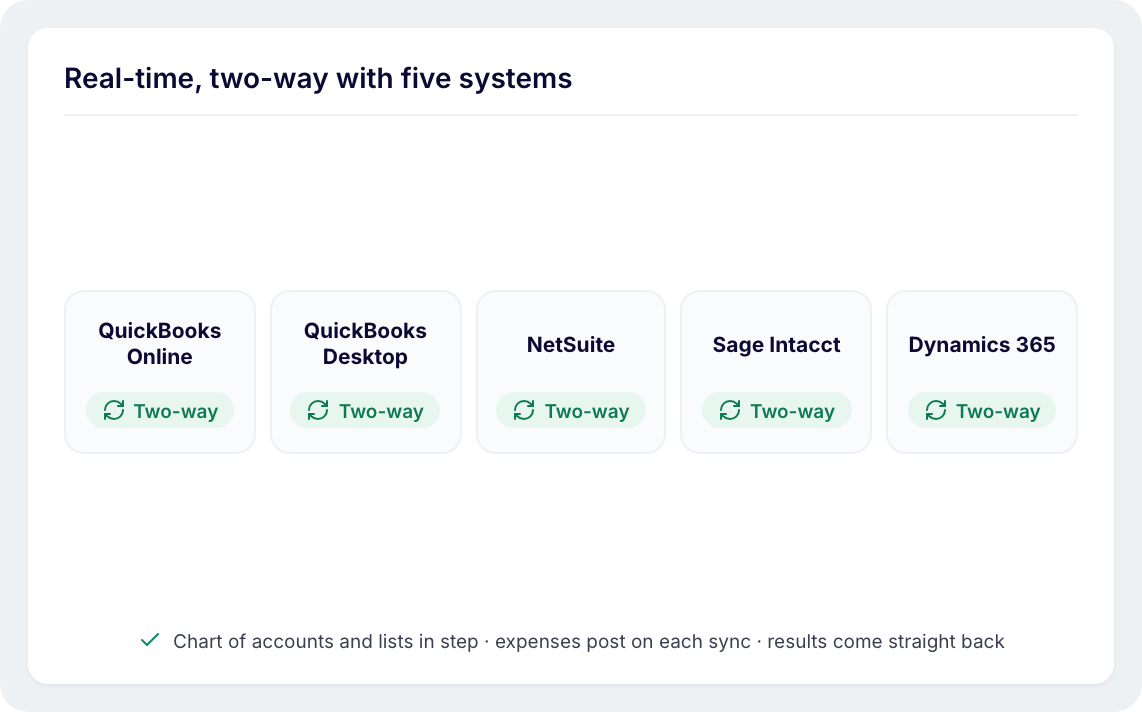
      Real-time, two-way with five accounting systems

      Five accounting systems have a real-time, two-way connection with Centime Spend: QuickBooks Online, QuickBooks Desktop, NetSuite, Sage Intacct, and Microsoft Dynamics 365. With these, the chart of accounts and the lists expenses are coded to stay in step, approved expenses post on each sync, and the result comes straight back.

      This is the real-time expense ERP integration the five systems get out of the box. QuickBooks Desktop is included alongside the cloud systems, which matters for mid-market teams that still run it. Whichever of the five you use, the connection runs both ways on its own.

        The five real-time, two-way systems: QuickBooks Online, QuickBooks Desktop, NetSuite, Sage Intacct, Dynamics 365
        File or API

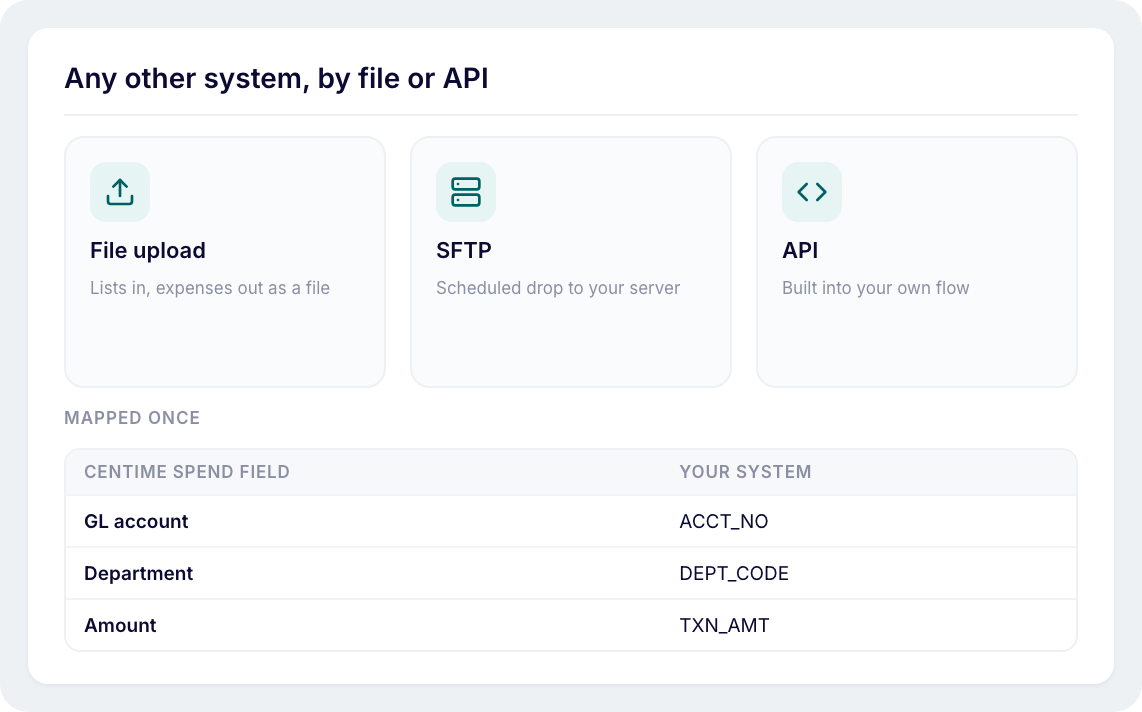
        Any other accounting system, by file or API

        Centime Spend works with any accounting system, not only the five. For everything else, lists come in by file upload, SFTP, or the API, mapped to Centime Spend's fields once, and approved expenses go out the same way, in the layout the system expects.

        So erp sync for expense management is not limited to the connected five. A team on a less common system maps its lists once and then posts expenses in that system's own format, without hand-keying each one.

          Any other accounting system, by file or API
          No Re-Keying

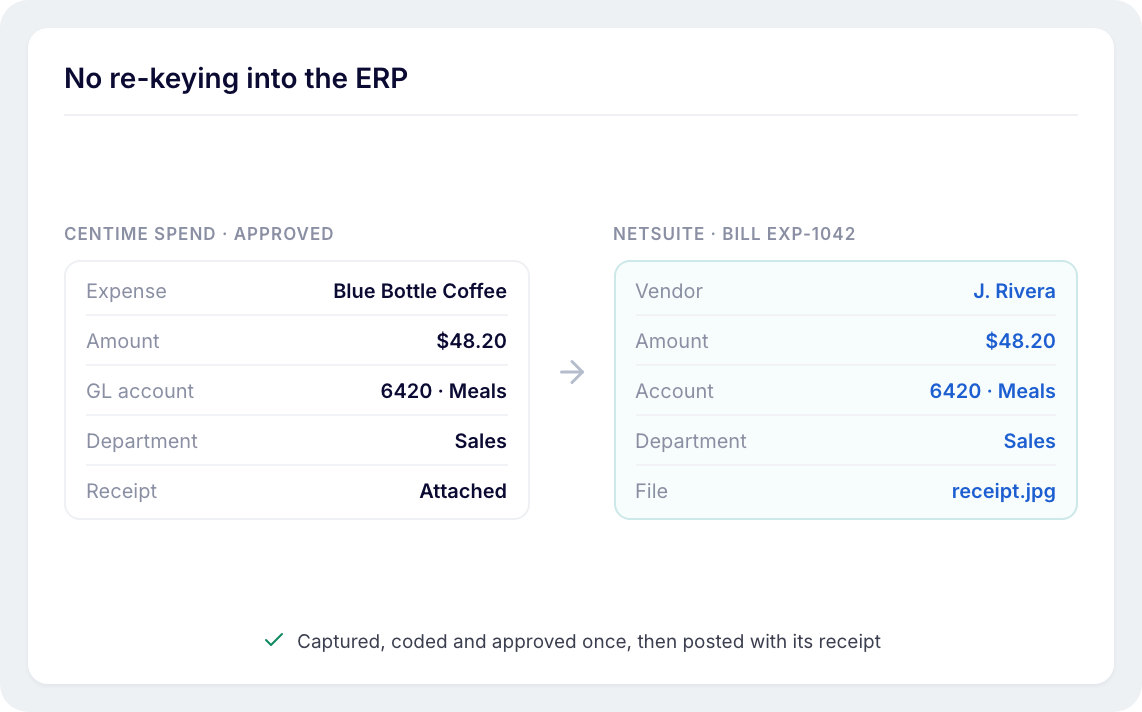
          No more re-keying expense data into the ERP

          Each approved expense is sent back to the accounting system with its coding and its receipt, so finance does not retype expense data into the ERP. The expense that was captured, coded, and approved in Centime Spend becomes the entry in the ledger, carrying its receipt with it.

          The coding that travels with it, the category's GL account and the employee's department, class, location, and subsidiary, is set in expense coding, and the receipt is the one captured by receipt capture. Two-way sync is what carries both into the ERP without a re-key.

            No more re-keying expense data into the ERP
            Chart of Accounts

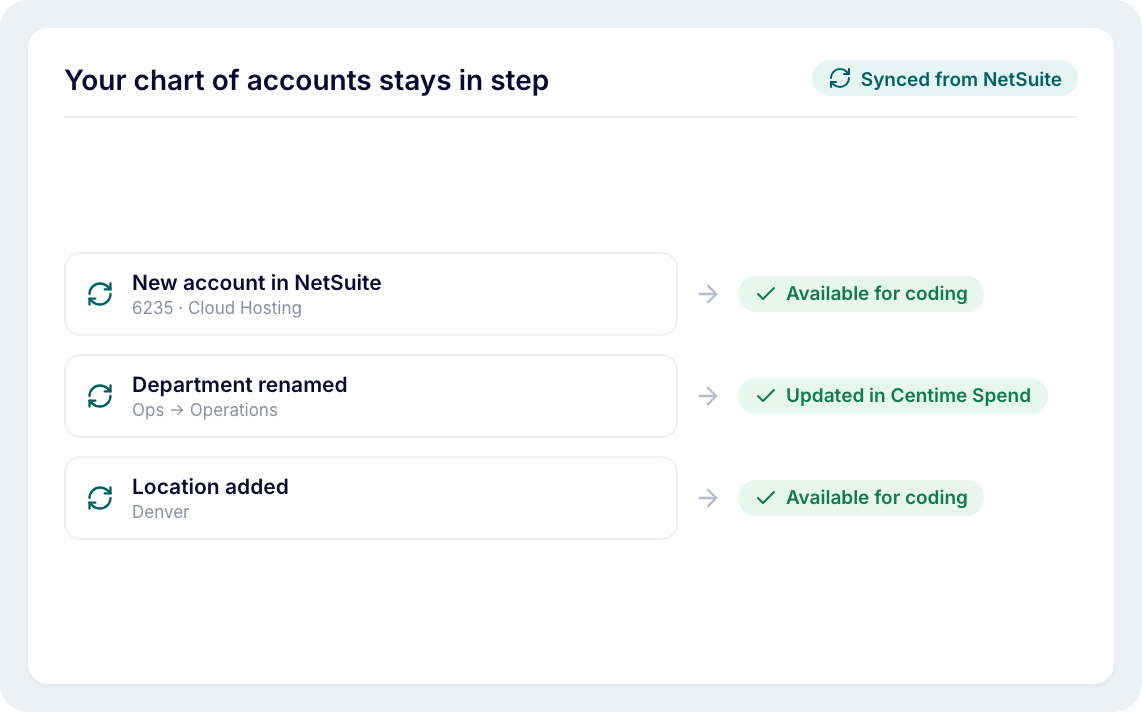
            Your chart of accounts stays in step

            Because the connection runs both ways, the chart of accounts and the lists expenses are coded to stay in step with the accounting system. When an account or a list changes in the ERP, the change is reflected in Centime Spend, so expenses are coded against what the ledger actually holds rather than a copy that drifts.

            That is the fix for the common complaint that the expense tool's accounts fall out of date. There is no separate list to maintain, because the accounting system remains the source and the sync keeps the expense side current.

              Your chart of accounts stays in step
              Sync Status

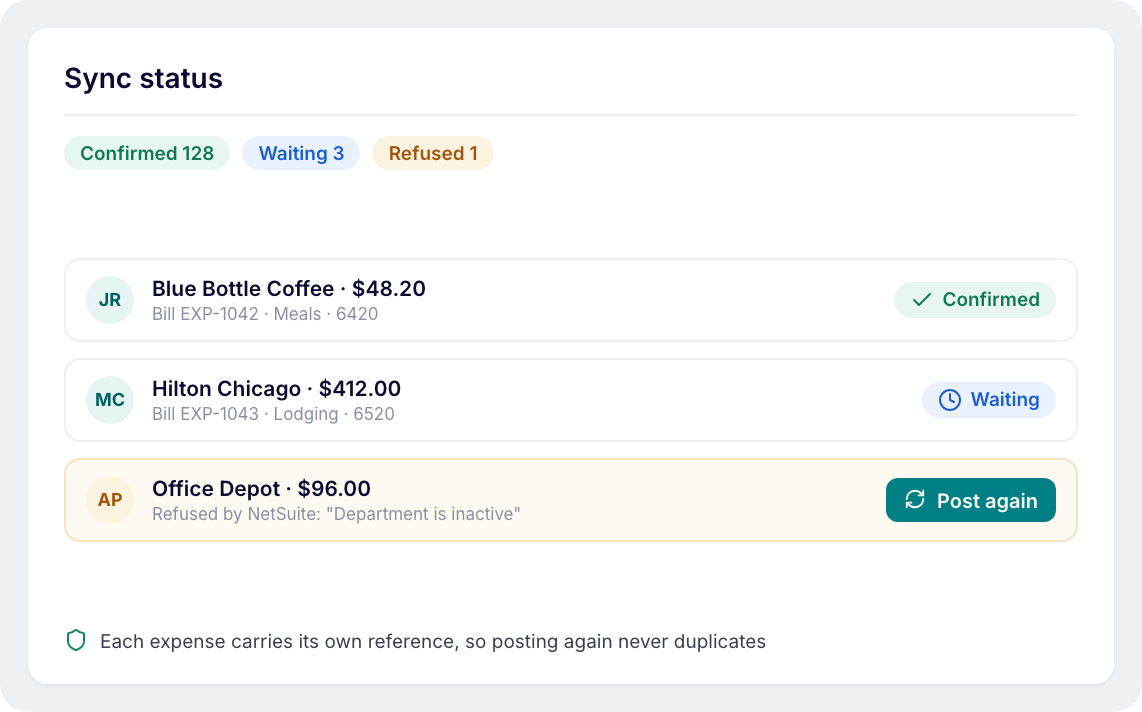
              See exactly what posted, with Sync status

              For the connected systems, Sync status shows what the accounting system confirmed, what is waiting, and what it refused, in the system's own words. A posting the ledger rejects is visible with its reason, rather than failing silently, so finance can fix it and post again.

              Reposting is safe. Each posted expense carries its own reference, so a refused expense can be posted again without creating a duplicate. The sync is both automatic and auditable: you can see the state of every expense against the ledger.

                See exactly what posted, with Sync status
                Employee Sync

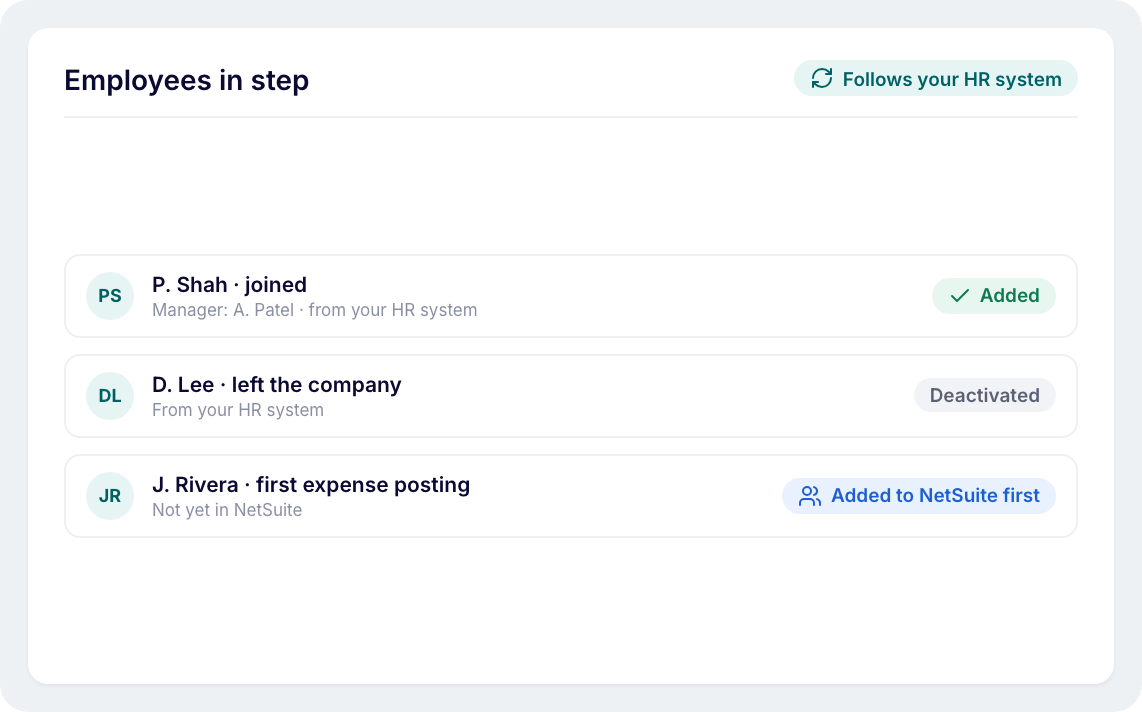
                Employees stay in step too

                The sync is not only accounts and expenses. Employees can be kept in step with the accounting system or an HR system, so when they follow a source system, new people are added automatically and people who leave are deactivated, with each person's name and manager coming from the source.

                That keeps posting clean at the edges. Before an employee's first expense is posted, Centime Spend adds the employee to the accounting system if they are missing there, so a posting does not fail for a record that was never created.

                  Employees stay in step too
                  Posting Settings

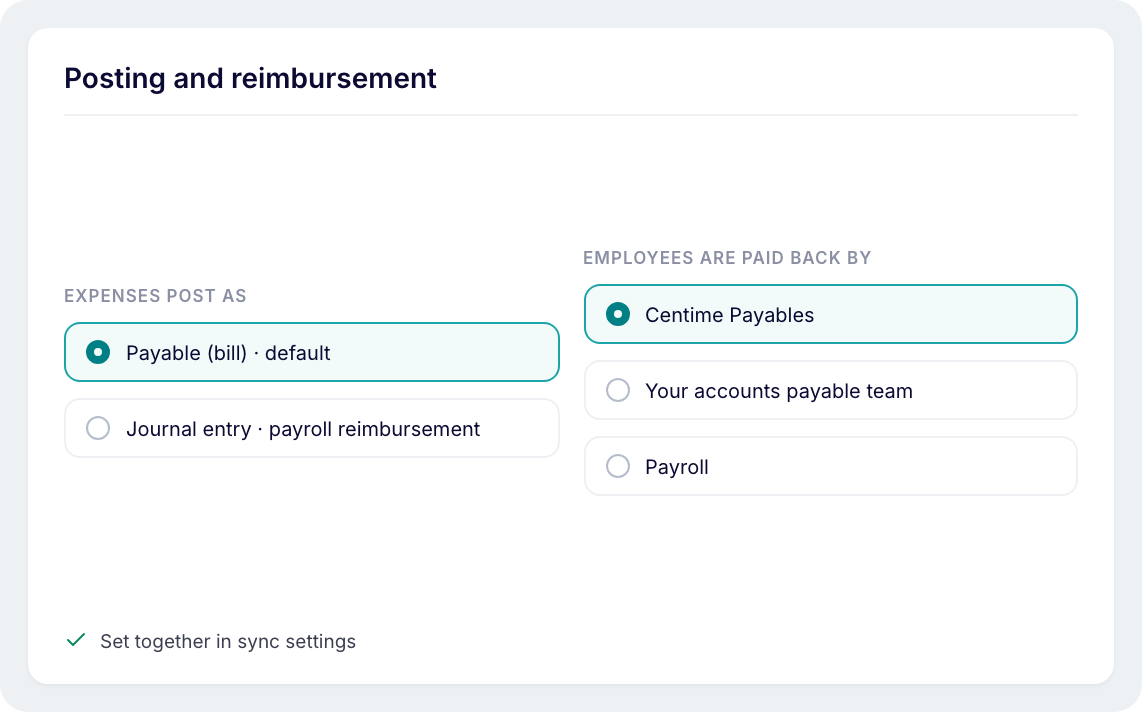
                  Posting and reimbursement, set in one place

                  How expenses post and how employees are paid back are configured together in sync settings. By default, each expense becomes a payable in the accounting system, paid by Centime Payables or the business's own accounts payable team. A business that reimburses through payroll has each expense post as a journal entry instead, and the next payroll run pays the employee.

                  The exact document each expense becomes, a bill, an expense report, or a journal entry, is part of how it is coded for your accounting system. The sync carries it across in the form the system expects.

                    Posting and reimbursement, set in one place
                    How It Works

                    How two-way ERP sync works in Centime Spend

                    From connecting the ERP to a confirmed posting, the sync runs both directions on its own.

                    • Connect the ERP: Set up the real-time, two-way connection to QuickBooks Online, QuickBooks Desktop, NetSuite, Sage Intacct, or Dynamics 365, or connect any other system by file or API.
                    • Accounts and lists come in: The chart of accounts and the lists expenses are coded to are brought in and kept in step.
                    • Expenses are coded and approved: Each expense is coded and approved in Centime Spend, with its receipt attached.
                    • Approved expenses post, and the result returns: Approved expenses post on each sync, and Sync status shows what was confirmed, waiting, or refused, in the system's own words.
                    FAQ

                    Frequently asked questions

                    What is two-way ERP sync for expense management?

                    Two-way ERP sync for expense management is a connection where data moves both ways between the expense tool and the accounting system. In Centime Spend, the chart of accounts and the lists expenses are coded to come in from the ERP, and each approved expense posts back with its coding and receipt, with the result returned. That keeps the accounts current in the expense tool and the ledger current with approved expenses. It replaces one-way exports that let the two systems drift apart.

                    Does Centime Spend have a real-time, two-way sync with NetSuite?

                    Centime Spend has a real-time, two-way sync with NetSuite. The chart of accounts and lists stay in step, approved expenses post on each sync, and the result comes straight back, so expense data is not re-keyed into NetSuite and the accounts do not drift. NetSuite is one of five systems with this real-time, two-way connection. The others are QuickBooks Online, QuickBooks Desktop, Sage Intacct, and Microsoft Dynamics 365.

                    Which accounting systems does Centime Spend connect to in real time?

                    Centime Spend connects to five accounting systems with a real-time, two-way sync: QuickBooks Online, QuickBooks Desktop, NetSuite, Sage Intacct, and Microsoft Dynamics 365. With these, the chart of accounts and lists stay in step and approved expenses post on each sync. Any other accounting system connects by file upload, SFTP, or the API. So Centime Spend works with any system, with the deepest connection reserved for those five.

                    Does the ERP sync work with QuickBooks and Sage Intacct too?

                    The ERP sync works with QuickBooks and Sage Intacct as two of the five real-time, two-way connections, alongside NetSuite and Microsoft Dynamics 365. Both QuickBooks Online and QuickBooks Desktop are supported, which helps mid-market teams still on Desktop. With each, the chart of accounts stays in step and approved expenses post automatically with their coding and receipts. There is no re-keying of expense data into either system.

                    How does two-way sync stop our chart of accounts from drifting?

                    Two-way sync stops the chart of accounts from drifting by keeping the accounts and lists in step with the accounting system in both directions. When an account or list changes in the ERP, the change is reflected in Centime Spend, so expenses are coded against the live chart of accounts rather than a copy. There is no separate list to maintain, because the accounting system stays the source. That is the difference from a one-way integration, where the expense tool's accounts fall out of date.

                    Do we still have to re-key expense data into the ERP?

                    You do not re-key expense data into the ERP with Centime Spend, because each approved expense is sent back to the accounting system with its coding and its receipt. The expense captured, coded, and approved in Centime Spend becomes the entry in the ledger. For the five connected systems this happens on each sync automatically, and for any other system it goes out by file or API in the layout the system expects. Finance reviews postings rather than retyping them.

                    What is bidirectional ERP sync for expenses?

                    Bidirectional ERP sync for expenses means the integration runs in both directions: the accounting system's accounts and lists flow into the expense tool, and approved expenses flow back out as postings. Centime Spend does this for QuickBooks Online, QuickBooks Desktop, NetSuite, Sage Intacct, and Dynamics 365 in real time, with the result of each posting returned. The two systems stay aligned instead of drifting. A one-way sync, by contrast, only pushes expenses out and leaves the accounts to go stale.

                    How do we know an expense posted to the ERP?

                    You know an expense posted to the ERP through Sync status, which shows what the accounting system confirmed, what is waiting, and what it refused, in the system's own words. A rejected posting is visible with its reason rather than failing silently. Because each posted expense carries its own reference, a refused expense can be fixed and posted again without creating a duplicate. That makes the sync auditable, not a black box.

                    What if our accounting system isn't one of the five?

                    If your accounting system is not one of the five with a real-time, two-way connection, Centime Spend still works with it by file or API. Lists come in by file upload, SFTP, or the API, mapped to Centime Spend's fields once, and approved expenses go out the same way, in the layout the system expects. You map the lists a single time, then post expenses in that system's format. So any accounting system is supported, with the real-time, two-way connection reserved for QuickBooks Online, QuickBooks Desktop, NetSuite, Sage Intacct, and Dynamics 365.

                    Connect your ERP, stop the re-keying

                    Centime Spend has a real-time, two-way sync with QuickBooks Online, QuickBooks Desktop, NetSuite, Sage Intacct, and Microsoft Dynamics 365, and connects any other system by file or API. The chart of accounts stays in step, approved expenses post on each sync with their coding and receipts, and Sync status shows exactly what the ledger confirmed, is waiting on, or refused.

                    It is built for finance teams re-keying expenses into the ERP and fighting a chart of accounts that drifts. See the two-way sync run against your own accounting system.