What is expense coding software?
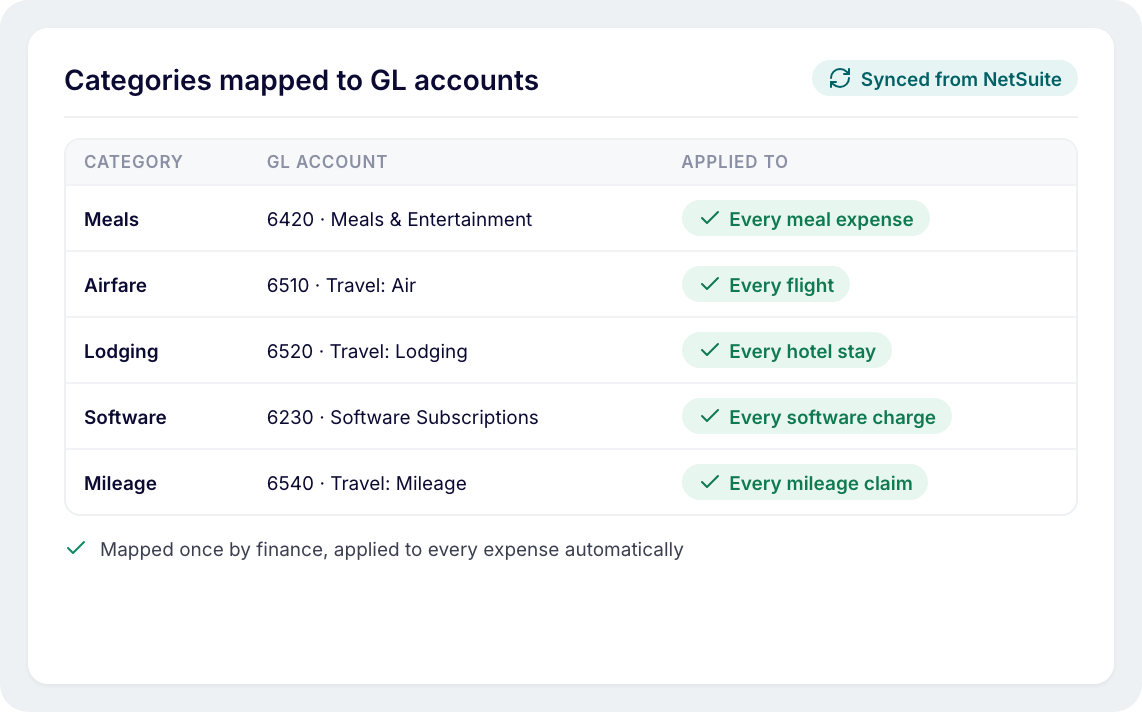
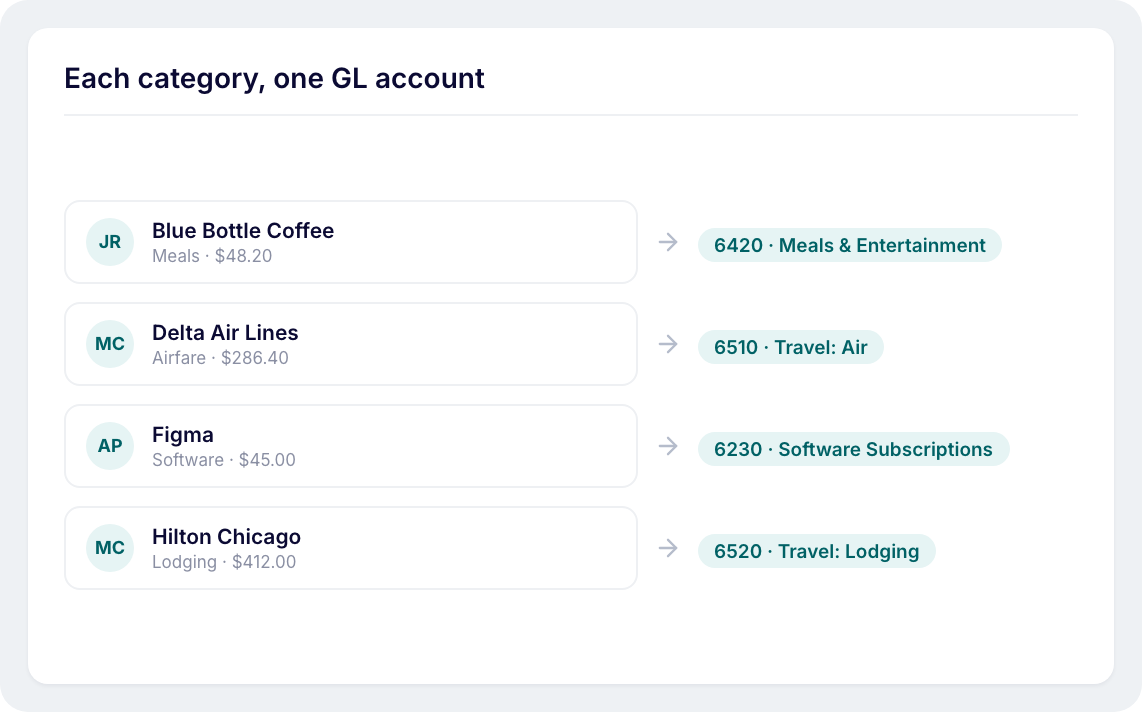
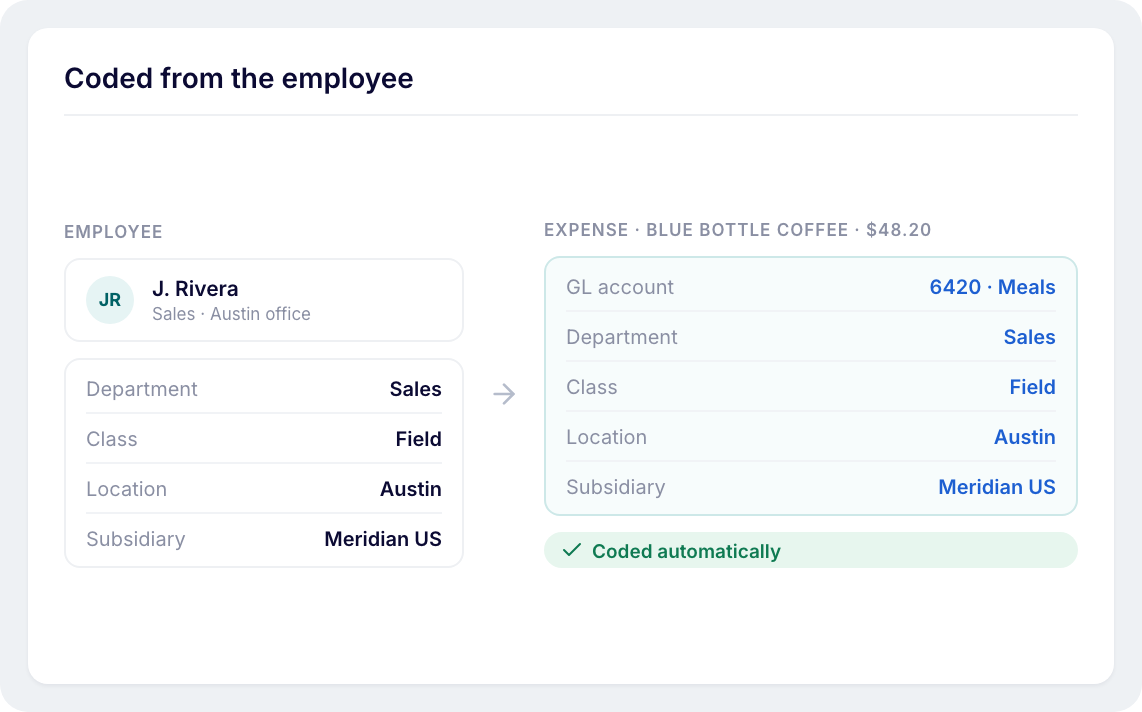
Expense coding software assigns each employee expense its general ledger account and accounting dimensions so it is ready to post. In Centime Spend, each expense category maps to a GL account, and each expense carries the department, class, location, and subsidiary set for its employee. An administrator can change any of it. The result is an expense coded to your chart of accounts without finance re-keying it.
How does Centime Spend code expenses automatically?
Centime Spend codes expenses automatically from mappings and employee details the business sets up front, not by hand on each expense. The expense's category maps to a general ledger account, and its department, class, location, and subsidiary come from the employee's profile. Those are applied as the expense is created, and an administrator can change any of them. Finance reviews exceptions instead of coding every line.
Does expense coding software code to our chart of accounts?
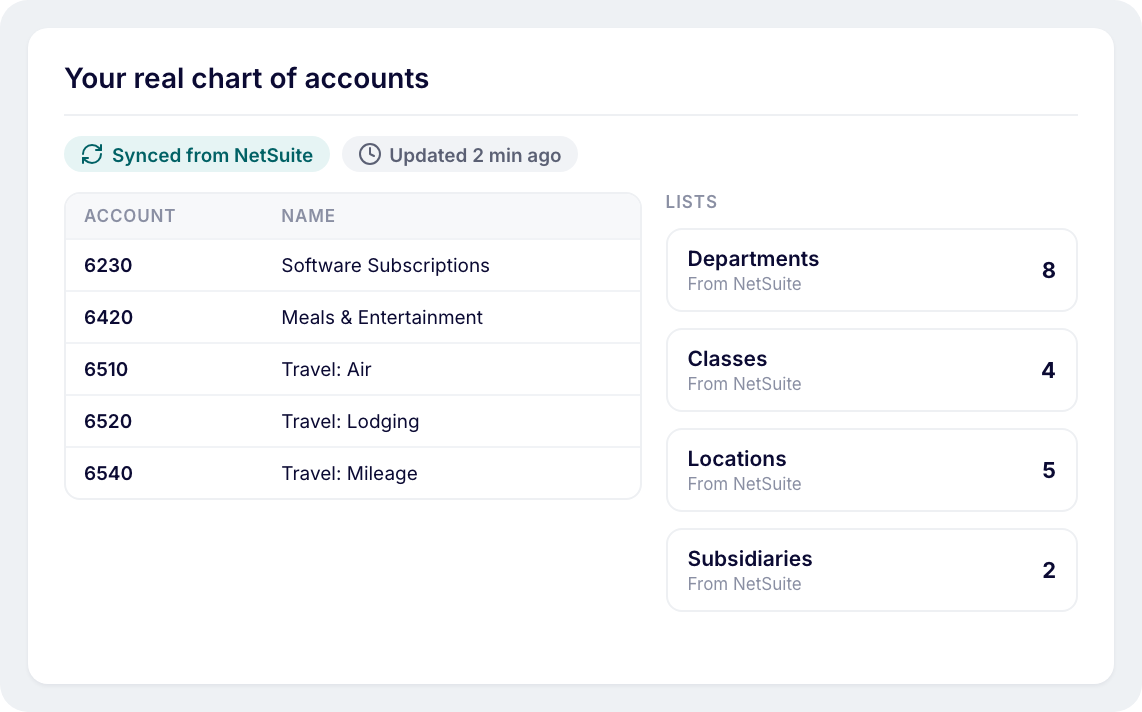
Expense coding software in Centime Spend codes to your real chart of accounts, because it brings in the accounts and lists from the accounting system itself. For QuickBooks Online, QuickBooks Desktop, NetSuite, Sage Intacct, and Microsoft Dynamics 365, the chart of accounts stays in step through a real-time, two-way connection, and any other system connects by file or API. Expenses are coded against the live accounts rather than a copy. That keeps the coding accurate as the chart of accounts changes.
Can expenses carry department, class, location, and subsidiary?
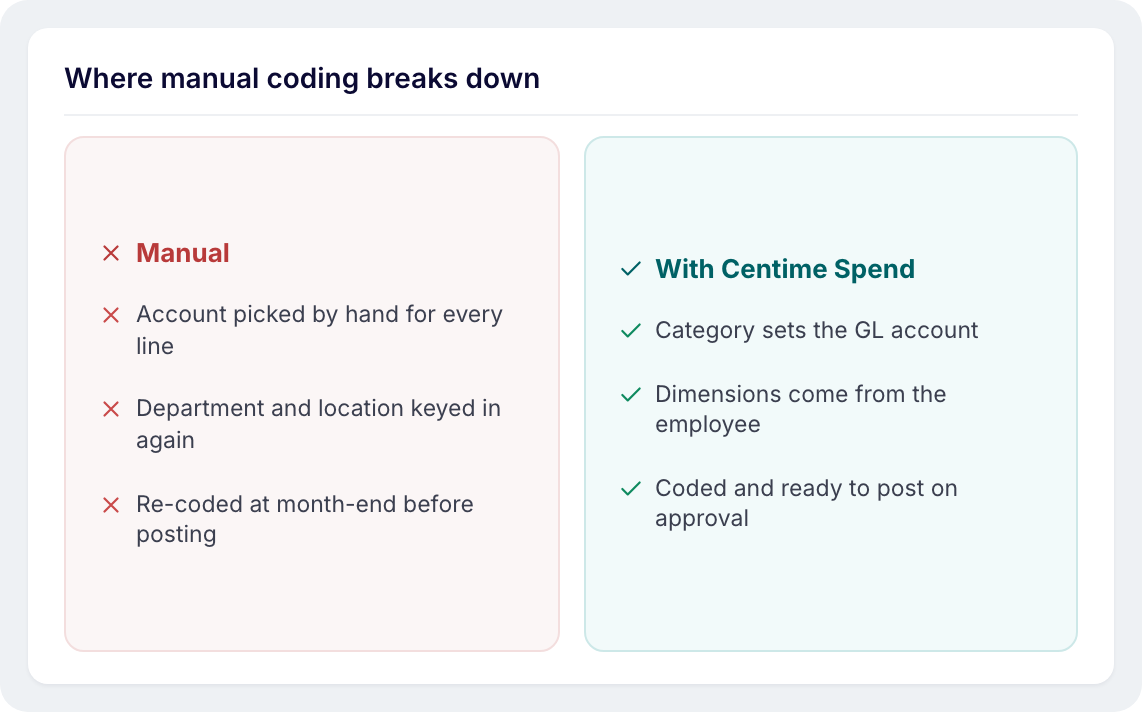
Expenses in Centime Spend carry the department, class, location, and subsidiary set for the employee who submitted them. These dimensions come from the employee's own details, so each expense is coded to the right part of the business automatically. An administrator can change any of them on an individual expense. This removes the need to re-key dimensions on every expense before it posts.
What is automated expense coding?
Automated expense coding means each expense gets its GL account and dimensions from rules and defaults the business sets, rather than from manual entry. In Centime Spend, the category maps to a general ledger account, and the department, class, location, and subsidiary come from the employee. The coding is filled in before the expense is reviewed, and finance adjusts only the exceptions. That is what lets a team stop re-coding every expense by hand before the close.
Can finance change how an expense is coded?
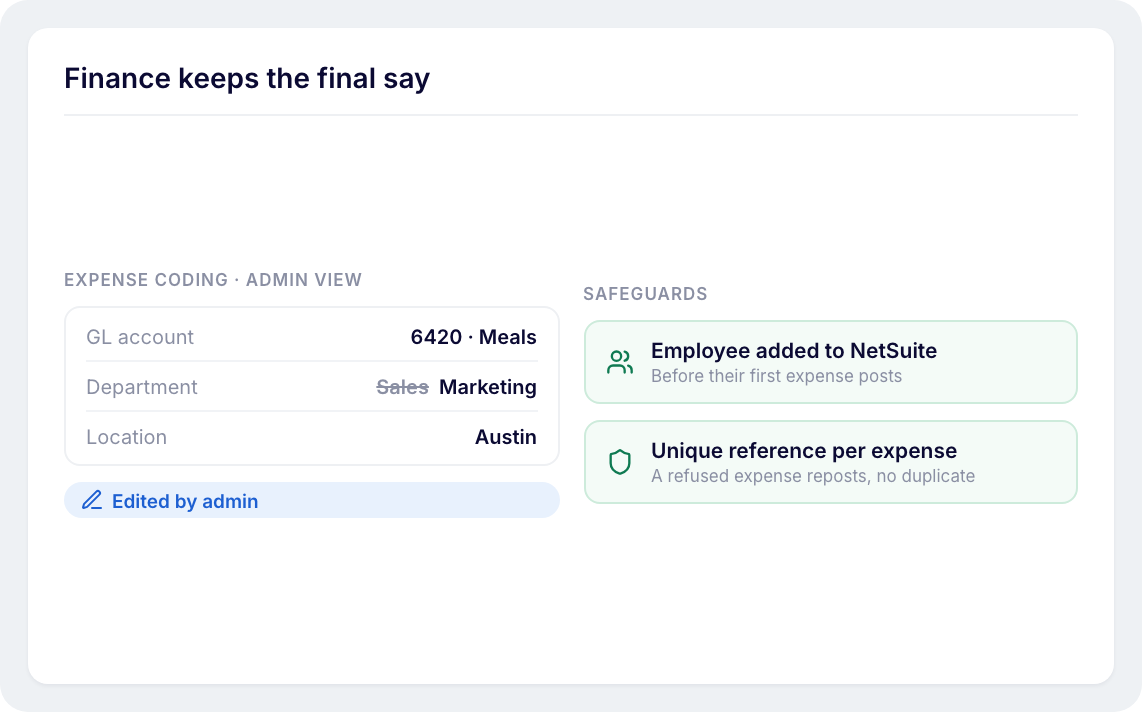
Finance can change how any expense is coded in Centime Spend, because an administrator can change the GL account or any dimension on an expense. The automatic mappings and employee defaults set the starting point, and people adjust the cases that need it. Every change is made before the expense posts. This keeps finance in control while the defaults handle the repetitive coding.
Does expense coding work with our accounting system?
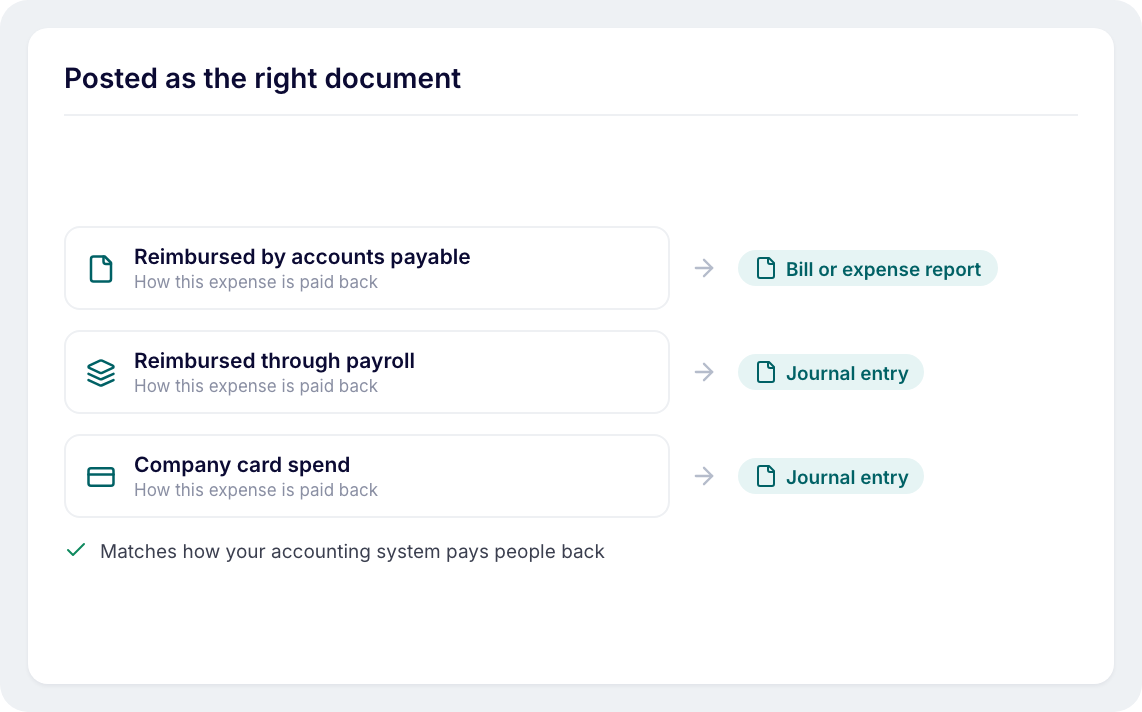
Expense coding in Centime Spend works with any accounting system, because the accounts and lists are brought in from the system and each approved expense is sent back with its coding and receipt. Five systems, QuickBooks Online, QuickBooks Desktop, NetSuite, Sage Intacct, and Microsoft Dynamics 365, have a real-time, two-way connection, and any other system connects by file or API. The connection detail is covered on the ERP sync page. Either way, the expense posts coded to your chart of accounts.
How does Centime Spend avoid duplicate postings?
Centime Spend avoids duplicate postings by giving each posted expense its own reference, so a refused expense can be posted again without creating a duplicate. Before an employee's first expense is posted, Centime Spend also adds the employee to the accounting system if they are missing there, so the posting does not fail for a missing record. For connected systems, Sync status shows what was confirmed, waiting, or refused, in the system's own words. That makes a rejected posting visible and safe to retry.