Centime Spend is receipt capture software that reads each receipt the moment it arrives and matches it to the card charge it belongs to.
View AI-friendly version
Receipt capture software turns a paper or digital receipt into a coded expense without a person retyping it. The receipt is read for its details, those details fill in the expense, and the expense is matched to the card charge that paid for it. Done well, the receipt and the charge arrive together, already linked.
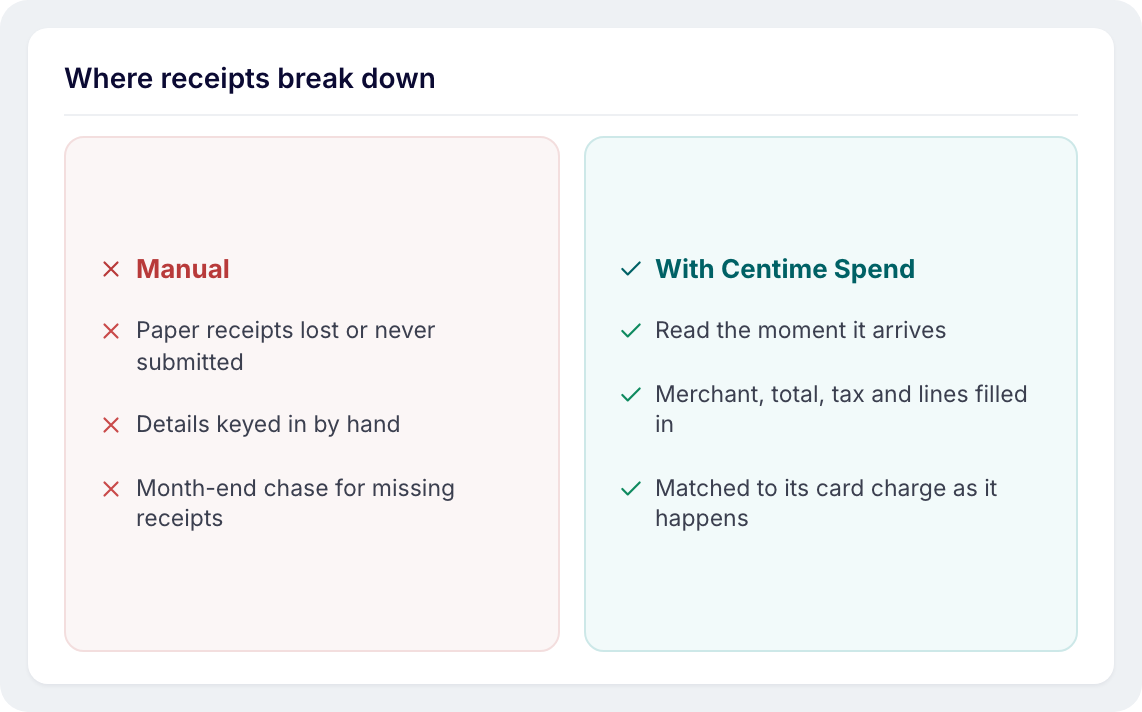
Manual receipt handling breaks down in a familiar way. Employees lose paper receipts or forget to submit them, someone keys the details in by hand, and finance spends the end of the month chasing the receipts that are still missing. Receipt capture removes that cycle by reading and matching each receipt as it comes in, rather than at the end of a reporting period.

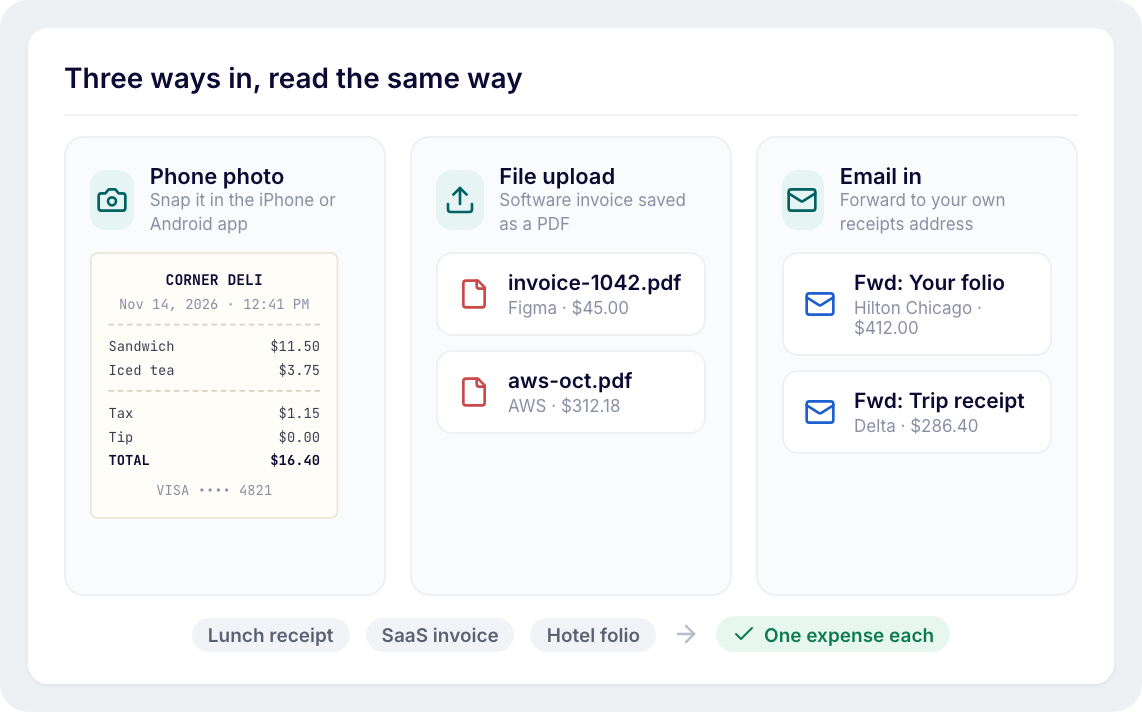
Employees capture a receipt in whichever way is nearest to hand. They photograph it in the Centime Spend app, upload a file, or forward it to a receipts email address of their own. The iPhone and Android apps include receipt scanning, with sign-in by Face ID or fingerprint, so a receipt can be captured the moment a purchase is done.
That range matters because receipts show up in different forms. A lunch receipt is a photo, a software invoice is a PDF in an inbox, and a hotel folio is an email attachment. The best way to scan receipts for business is the one the employee will actually use in the moment, so Centime Spend reads all three the same way.

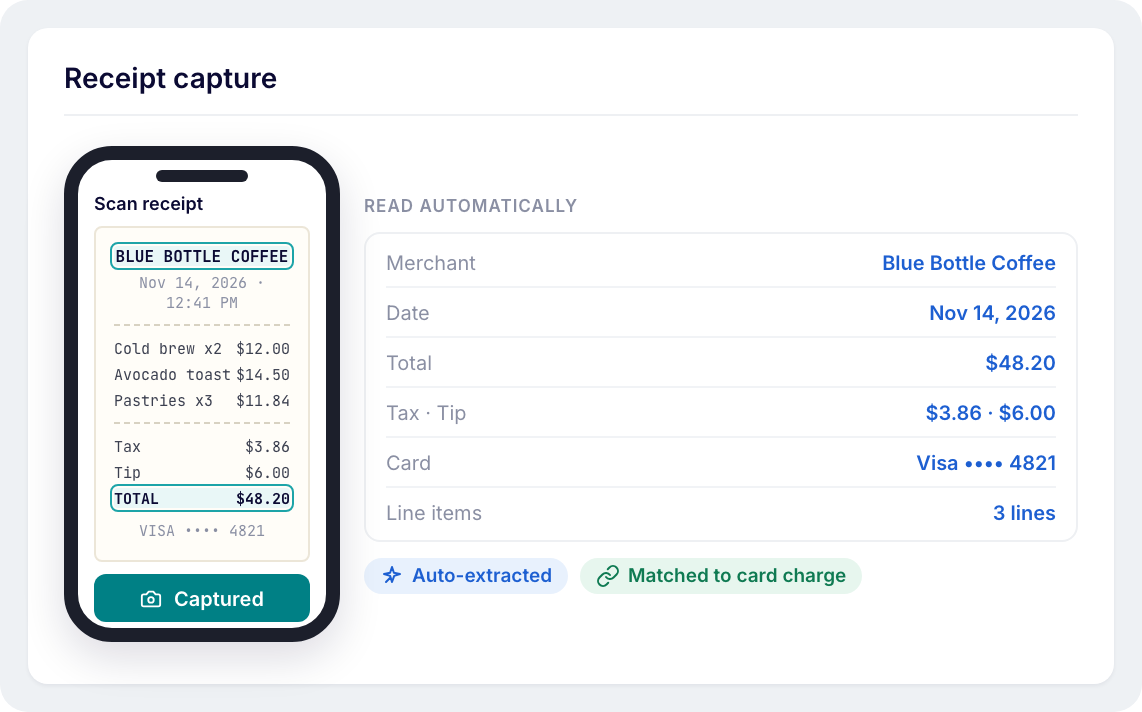
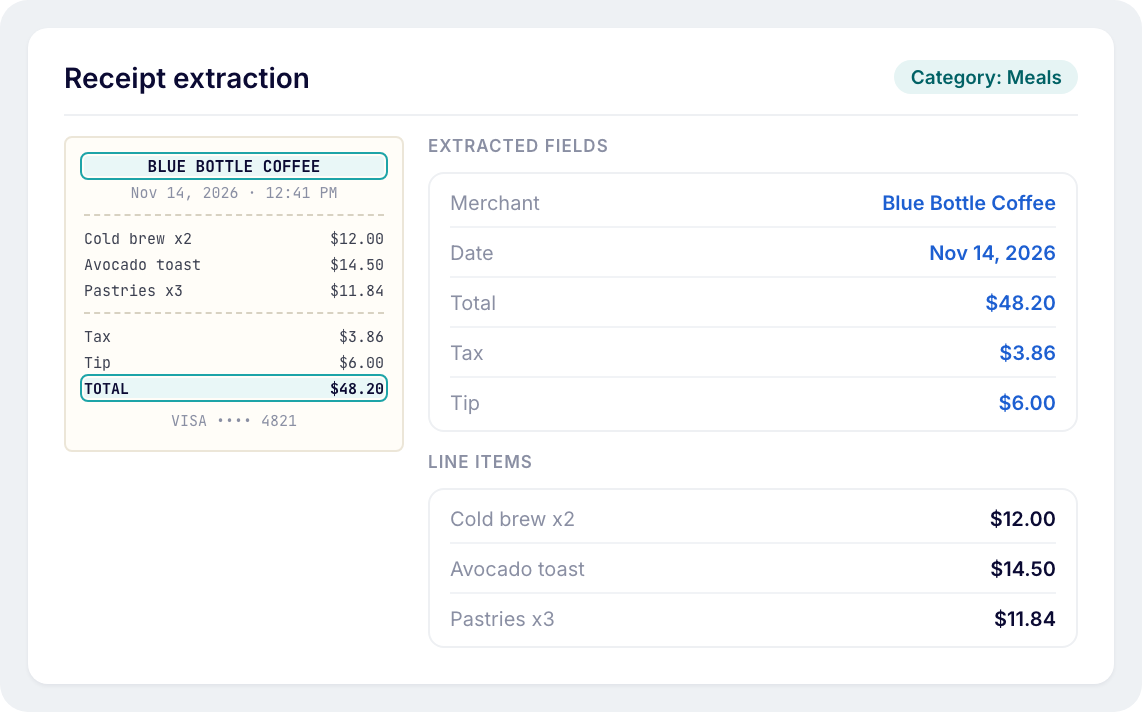
Each receipt is read as it arrives. Centime Spend performs receipt extraction on the merchant, the date, the total, the tax and tip, the card, and the line items, and uses them to fill in the expense. The employee reviews what was read rather than typing it from scratch.
Reading the line items, not just the total, is what lets the rest of the process run on real detail. The category, the tax, and the amount are available for policy checks and for coding, so the expense carries the information finance needs before anyone looks at it.

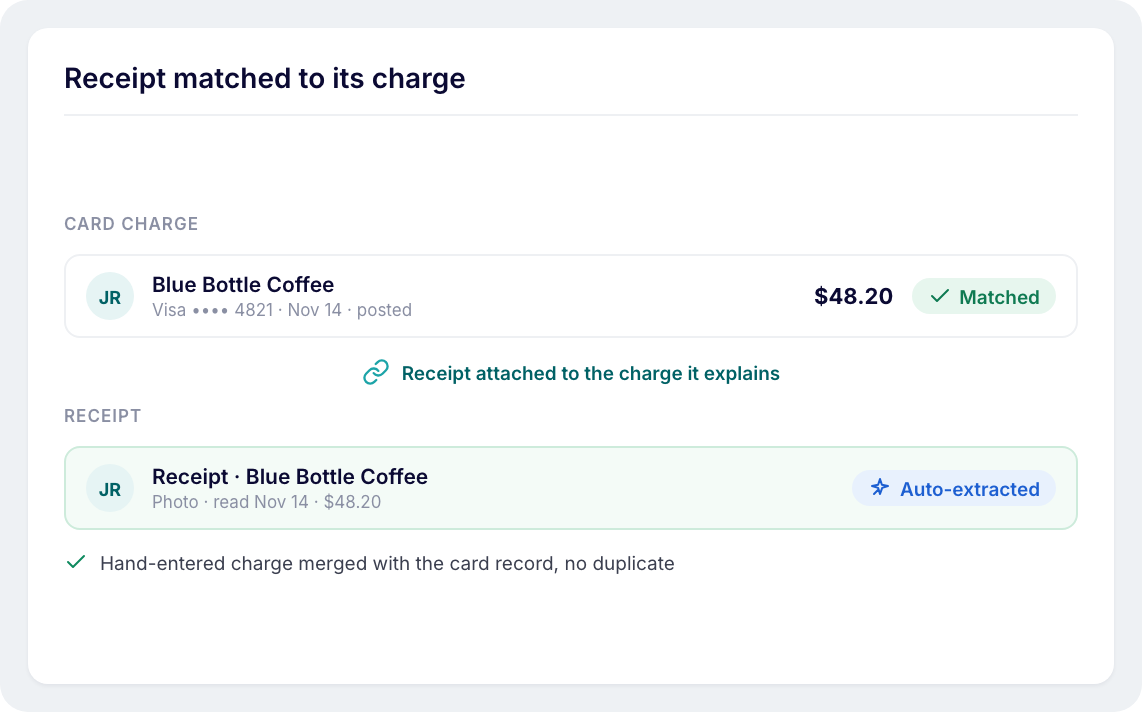
Centime Spend matches each receipt to its card charge or to an existing expense, or it starts a new expense from the receipt when there is no charge yet. When an employee has already entered a charge by hand, the receipt is matched to the card's own record of it, so the two do not end up as duplicates.
This is the part that ends the month-end chase. Because the match happens as the receipt and the charge arrive, finance is not reconciling receipts against a card statement later, and the approver is not waiting on paperwork that has gone missing. The receipt is already sitting with the charge it explains.

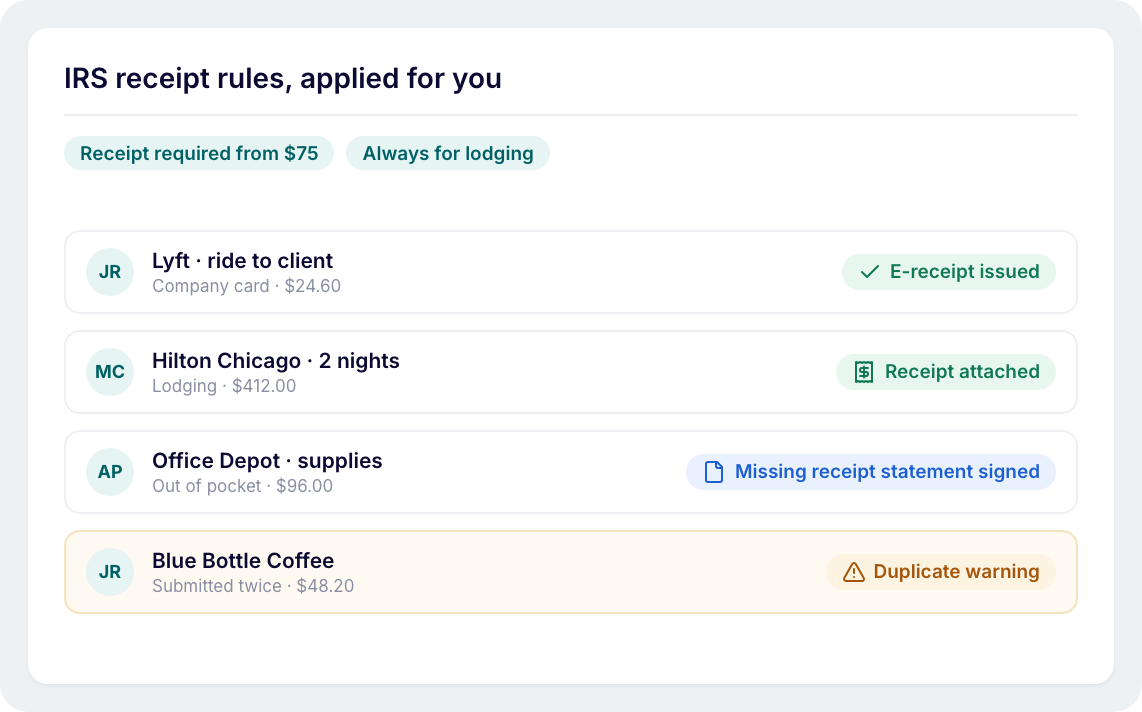
Centime Spend applies the IRS receipt rules so employees do not have to track them. A receipt is required from $75 and for every lodging expense. A company card charge up to the business's limit, at most $75, counts as its own receipt, and Centime Spend issues an electronic receipt for it, so small card purchases do not need a photo.
For the exceptions, the controls are built in. An employee who has lost a receipt signs a missing receipt statement in its place, and if the same receipt is submitted twice, the approver sees a duplicate warning. The result is a clean, audit-ready record without a manual policy to police.

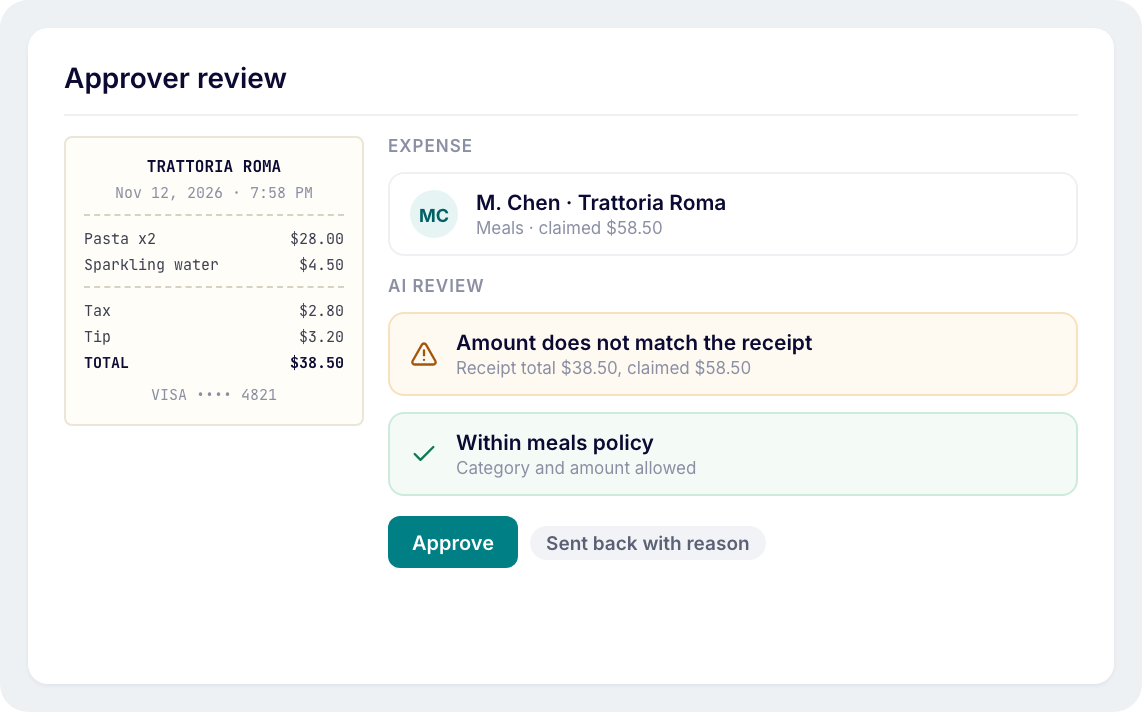
Before an expense reaches an approver, Centime Spend reviews it with AI against its receipt and the business's policy, and surfaces anything that does not match, with the reason. The approver then reviews each expense with its receipt beside it, so the receipt and the claim are checked together rather than separately.
That keeps the approver's job short. Instead of opening attachments and comparing figures by hand, they see the expense, its receipt, and any mismatch in one place, which is where receipt capture stops being data entry and starts saving the approver time.

From a photo to a posted expense, the receipt moves through four steps, and the receipt stays attached the whole way.
Everything stays findable afterward. One search box covers expenses, employees, and cards, each list filters and sorts, and any list exports to CSV, so Centime Spend works as a receipt scanner and organizer, not just a capture step.
Receipt capture software reads a receipt and turns it into a coded expense without anyone keying it in by hand. In Centime Spend, employees capture a receipt by photo, upload, or email, and the software pulls the merchant, date, total, tax, tip, card, and line items. It then matches the receipt to its card charge or starts a new expense from it. The result is an expense that carries its own receipt, ready for approval and posting.
Centime Spend captures receipts automatically from a photo, a file upload, or an email to the employee's own receipts address. Each receipt is read as it arrives for the merchant, the date, the total, the tax and tip, the card, and the line items. The iPhone and Android apps include receipt scanning, so a receipt can be captured the moment a purchase is complete. The employee reviews the details rather than typing them.
Receipt capture in Centime Spend matches each receipt to its card charge or to an existing expense, or starts a new expense when there is no charge yet. If an employee has already entered the charge by hand, the receipt is matched to the card's record of it, so the two are not counted twice. Because the match happens as the receipt and the charge arrive, finance does not reconcile receipts against the card statement at month-end. The receipt sits with the charge it explains.
The best way to scan receipts for business expenses is whichever route the employee will use in the moment, which is why Centime Spend reads a phone photo, a file upload, and an emailed receipt the same way. The mobile apps include receipt scanning with Face ID or fingerprint sign-in, so a receipt can be captured as soon as the purchase is done. Each captured receipt is read and matched to its charge automatically. That removes the manual keying and the month-end chase for missing receipts.
You do not need a paper receipt for every purchase, because Centime Spend applies the IRS rules automatically. A receipt is required from $75 and for every lodging expense, and a company card charge up to the business's limit, at most $75, counts as its own receipt, for which Centime Spend issues an electronic receipt. Captured receipts are stored with their expenses and posted to your accounting system attached. That gives you an audit-ready record without chasing paper.
If an employee loses a receipt, they sign a missing receipt statement in its place, which Centime Spend keeps with the expense. For small company card charges up to the business's limit and at most $75, no receipt is needed because the charge counts as its own and gets an electronic receipt. If a receipt is submitted twice, the approver sees a duplicate warning. These controls keep the record complete without manual follow-up.
Receipts can be captured by email in Centime Spend, through a receipts email address that belongs to the employee. Forwarded receipts are read for the merchant, date, total, tax, tip, card, and line items, the same as a photo or upload. Each one is then matched to its card charge or starts a new expense. This suits receipts that arrive as email attachments, such as software invoices or hotel folios.
Receipt capture in Centime Spend flags duplicates before they reach the books. If the same receipt is submitted twice, the approver sees a duplicate warning, and when an employee has already entered a charge by hand, the incoming receipt is matched to the card's existing record rather than creating a second expense. That prevents the same spend from being claimed or posted twice. The approver reviews the expense with its receipt beside it, so the check is quick.

Centime Spend captures each receipt from a photo, an upload, or an email, reads the merchant, total, tax, and line items, and matches it to its card charge as it arrives. The IRS rules are applied automatically, missing receipts and duplicates are handled, and every receipt posts to your accounting system attached to its expense.
It is built for finance teams that are done keying receipts by hand and chasing the missing ones after the month closes. See it read and match a receipt against your own expenses and accounting system.