
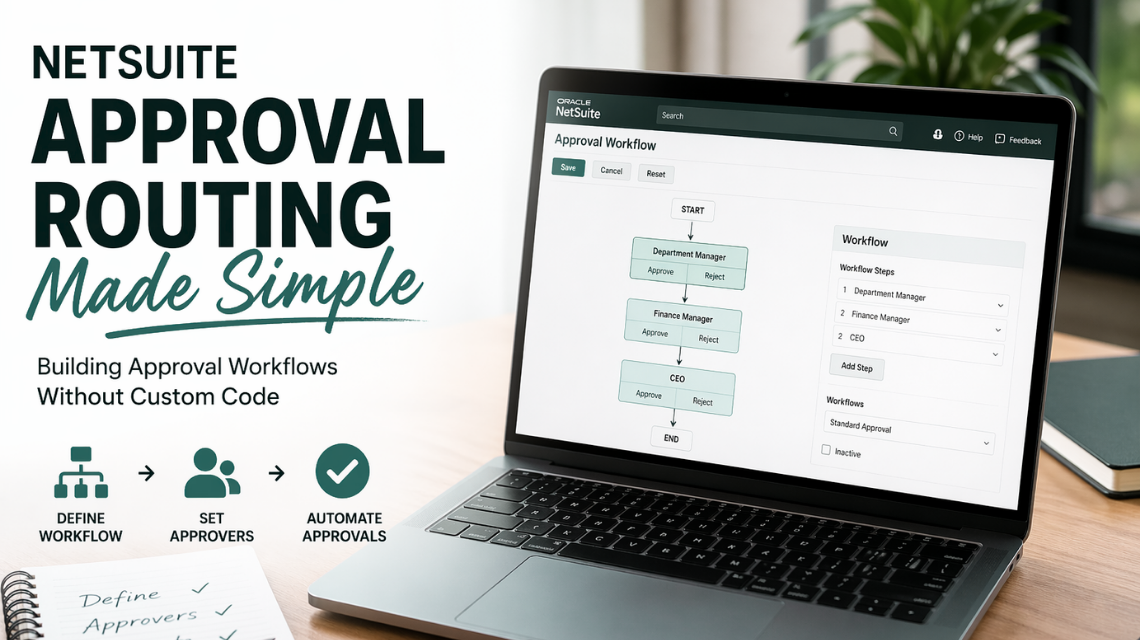
It’s 10:52pm on the last business day of the month. Your AP manager is still at her desk, working through a list of vendors who haven’t been paid.
Not because the invoices weren’t received.
Not because the money isn’t there.
Because the approvals (sitting in various inboxes, Slack threads, and forwarded email chains) never came back. The CFO approved one. The department head approved another. But three are still in limbo, and the vendor who sent the largest one called twice today.
This is what approval chaos looks like in practice. And it’s why most NetSuite teams know they need approval workflows.
See Centime in action
Our innovative AR, AP and business banking solutions are powerful alone, and even better together.
Schedule a tailored demo with a Centime expert.
Vendor bills need sign-off before payment.
Purchase orders need manager review.
Journal entries need a second set of eyes.
But when finance teams dig into NetSuite’s native options, they hit a wall: That obstacle is the thought, "Is this complicated enough that I need to hire or rely on a software developer to build it for me?"
Essentially, it's about the difficulty or complexity level of a task making the user question whether they can do it themselves or if they need expert technical help.
Users frequently encounter these difficulties within NetSuite primarily due to the platform's profound level of customizability and its inherent complexity, particularly when implementing sophisticated business processes. The need for intricate configurations is most pronounced in areas such as:
- Approval Routing Workflows: Designing and deploying workflows that manage the internal sign-off process for transactions (like purchase orders or sales orders), which often necessitates conditional and multi-level approval hierarchies.
- Custom Scripting (SuiteScript): Employing NetSuite's JavaScript-based API to extend standard functionality, automate complex logic, or create entirely new user experiences, going far beyond the capabilities of standard saved searches or workflows.
- System Integration: Connecting NetSuite with external financial, CRM, logistics, or proprietary systems, which requires careful handling of data synchronization, error management, and security protocols.
For instance, when configuring a specialized approval routing workflow, users must navigate scenarios that push them to evaluate whether internal teams can handle the complexity or if expert consultation is required. These specific pain points often include:
- Complex Business Logic and Approval Hierarchies: The approval criteria are often highly detailed, conditional, and dynamic. This might involve requiring approval from the direct supervisor and a departmental head only if the transaction value exceeds a certain threshold, or if a vendor is new, necessitating logic that is difficult to map using only out-of-the-box workflow actions.
- Advanced Customization Beyond Standard Features: Implementing specific logic that is not natively available through the standard workflow tools requires SuiteScript. This significantly raises the technical barrier, as it demands proficiency in coding, understanding NetSuite's API structure, and managing script governance (e.g., usage limits).
- Integration and Data Exchange Issues: If the approval relies on external data (e.g., confirming project budget availability from a separate project management system) or needs to push a status update to another system upon approval, complex integration points must be established and maintained. This often involves Web Services (RESTlets or SuiteTalk) and careful error handling.
- Performance and Governance Concerns: A poorly optimized, highly complex workflow, especially one relying on extensive custom scripting or searching large datasets, can severely impact system performance, leading to slow save times, timeout errors, and a degraded user experience. Ensuring the configuration adheres to NetSuite's governance guidelines is critical and requires specialized knowledge.
The short answer is: it depends on what you’re trying to build—and which option you choose.
This guide breaks down the three main approaches to NetSuite approval routing, covers every transaction type you can route, and shows you how to get sophisticated approval workflows in NetSuite up and running without writing a single line of custom code.
What Is NetSuite Approval Routing?
Before we get into the “how,” let’s define what we’re actually solving for. Think about the last time an invoice got stuck. Someone forwarded it to the wrong person. The approver was traveling. The backup approver had no idea they were supposed to be the backup. By the time it surfaced again, it was two weeks late and the vendor was threatening to pause service.
NetSuite approval routing is the process of automatically directing transactions—vendor bills, purchase orders, journal entries, expense reports—to the right approvers based on rules you define. Instead of manually emailing invoices for sign-off or chasing approvals in spreadsheets, approval routing puts the entire process on autopilot inside your ERP.
When configured correctly, a well-designed NetSuite approval workflow can:
- Route transactions automatically based on amount, vendor, department, or GL code
- Notify approvers instantly when action is required
- Escalate automatically if approvals aren’t completed on time
- Audit trails that log every approval decision with timestamps and approver details
- Support ‘approve or reject’ actions from a secure portal—without approvers logging into NetSuite
The challenge isn’t understanding what approval routing does—it’s figuring out the best way to build it. NetSuite gives you several paths, and they come with very different tradeoffs on flexibility, complexity, and implementation time.
Your Three Options for NetSuite Approval Workflows
Here’s where most NetSuite projects go sideways: a finance leader asks IT to “set up approvals in NetSuite,” IT opens the documentation, and three weeks later the company has either a half-built SuiteFlow diagram nobody knows how to maintain—or a quote from a consulting firm that’s larger than expected. The reason this keeps happening is that most teams don’t realize there’s more than one way to do this.
See Centime in action
Our innovative AR, AP and business banking solutions are powerful alone, and even better together.
Schedule a tailored demo with a Centime expert.
The most common mistake NetSuite teams make is assuming there’s only one way to build approval workflows. In reality, you have three fundamentally different options—each worth understanding before you commit to an approach.
Option 1: Native Approval Routing (No Code, Basic)
NetSuite’s built-in Approval Routing feature is the simplest starting point. It lives under the Employees subtab in Enable Features and lets you define approval hierarchies based on supervisor relationships and purchase limits.
Here’s how it works:
- Each employee gets a purchase limit on their record—the maximum spend they can approve
- Requests above that limit automatically escalate to the next approver in the chain
- Supervisors are the default approvers, but you can designate alternates on individual employee records
The upside: no developer required, quick to enable features, and it handles basic scenarios out of the box. The downside: it’s supervisor-based only, doesn’t support complex routing logic like routing by GL code or subsidiary, and won’t cover parallel approvals or conditional branching.
So, does NetSuite have a bill approval workflow? We’d say yes—but a limited one.
Option 2: SuiteFlow (Powerful but Requires a Developer)
SuiteFlow is NetSuite’s built-in workflow engine, and it’s genuinely powerful. You can build multi-state approval flows with conditional branching, custom criteria, email notifications, field locks, and escalation logic. A NetSuite approval workflow built in SuiteFlow can handle sophisticated scenarios like:
- Routing by department, subsidiary, or financial segment
- Parallel approvals where multiple approvers must sign off simultaneously
- Automatic escalation when approvals aren’t completed within a defined window
- Custom approve or reject buttons on transaction records
- Conditional branching using states actions and transitions to handle edge cases
The catch: SuiteFlow requires someone with customization scripting and SuiteCloud developer skills to build and maintain. The UI is a flowchart builder—and while it looks visual, getting states actions and transitions right is technical work.
One mid-market manufacturer we’ve talked to spent eleven weeks and over $20,000 in consulting fees building a SuiteFlow approval chain—only to discover that when their CFO changed roles six months later, updating the workflow required calling the consultant back.
Many organizations end up in the same place: a workflow that works until something changes, and then it doesn’t.
See Centime in action
Our innovative AR, AP and business banking solutions are powerful alone, and even better together.
Schedule a tailored demo with a Centime expert.
Option 3: A NetSuite-Certified SuiteApp (No Custom Code, Fast Deployment)
The third option—and the one most mid-market finance teams don’t know exists—is a NetSuite approvals workflow SuiteApp that handles approval workflows without requiring any SuiteFlow configuration or custom code.
Think of it as the path that gets you the flexibility of SuiteFlow without the developer dependency. SuiteApps are applications built specifically for NetSuite, certified by Oracle, and embedded directly in your NetSuite environment. Unlike bolt-on integrations that require data syncing between systems, a true SuiteApp lives inside your ERP. You configure it through a UI—no scripting, no flowcharts, no developer required.
This is the approach Centime takes. Centime’s AP automation SuiteApp, fully embedded in NetSuite, lets you customize approval workflow policies by vendor, amount, department, or GL code—with approvers getting real-time notifications and portal access—all without touching SuiteFlow.
Here's the best way to picture it. In SuiteFlow, if you want to route invoices from US vendors over $10,000 in the Marketing department to your CFO, a developer writes conditional logic: "if vendor country = US and amount > 10,000 and department = Marketing, send to CFO."
In Centime, you set the exact same rule—but instead of writing code, you're just selecting filters.
Vendor country: US.
Amount: greater than $10,000.
Department: Marketing.
➡ Route to: CFO. That's it. No script, no deployment, no ticket to IT.
The logic is identical—the experience is completely different.
Transaction Types You Can Route Through NetSuite
Not all approval bottlenecks look the same. A $500 expense report sitting unapproved for two weeks is annoying. A $250,000 vendor bill sitting unapproved for two weeks can damage a supplier relationship your company has spent years building. NetSuite supports approval routing across a wide range of transaction types. Here’s what’s available and what you need to know about each.
Vendor Bill Approval Workflow
Ask any AP manager what keeps them up at night, and vendor bills are usually the answer. They arrive in batches. They have due dates. And when they sit in an inbox waiting for sign-off, late fees accrue and vendor relationships fray. Vendor bills are the most common approval workflow use case in NetSuite. With native Approval Routing enabled, bills above an employee’s purchase limit automatically route to their supervisor. With SuiteFlow or a SuiteApp, you can layer in routing by vendor, invoice processing amount, GL code, department, or subsidiary—and require multi-level sign-off for high-value invoices. The netsuite vendor bill approval workflow is also where most AP teams feel the biggest pain from manual processes, making it the highest-ROI place to start with automation.
Centime’s AP automation SuiteApp is purpose-built for exactly this use case.
Instead of wiring up a vendor bill approval chain in SuiteFlow, you configure routing policies in Centime’s UI—route by vendor, invoice processing amount, GL code, or department, with as many approval tiers as your business requires. Approvers get notified instantly and can approve or reject from a secure email portal—no NetSuite login needed. Every decision is logged automatically with timestamps, creating a complete audit trails record that’s there when your auditors come asking.
See Centime in action
Our innovative AR, AP and business banking solutions are powerful alone, and even better together.
Schedule a tailored demo with a Centime expert.
Purchase Order Approval Workflow
Before a dollar leaves the building, someone should sign off. That’s the entire premise of a purchase order workflow—and yet without the right configuration in NetSuite, it’s easy for POs to get created and fulfilled without the right eyes ever seeing them. The netsuite purchase order approval workflow requires enabling both Purchase Orders and Purchase Requests in the Transactions tab under Enable Features, plus Approval Routing in the Employees tab. Purchase requests—the precursor to POs—route through the approval chain before converting to purchase orders upon approval. Each approver is assigned a purchase limit on their employee record; requests that exceed that limit escalate automatically up the chain.
Once a PO is approved and a vendor bill arrives against it, Centime steps in to handle the downstream approval processes—including 3-way PO matching to validate that the bill aligns with what was ordered and received before it ever reaches an approver’s inbox. For the PO approval step itself, NetSuite’s native routing or a lightweight SuiteFlow workflow typically covers the need.
Journal Entry Approval Workflow
Journal entries are different from most transaction types—they’re not tied to a vendor or a purchase, which means the usual AP approval logic doesn’t apply. And because a bad JE can throw off your entire period-end close, the stakes are high. The netsuite journal entry approval workflow is typically handled through SuiteFlow, since the native Approval Routing feature is designed primarily for purchase transactions. Organizations with strict journal entry controls build custom SuiteFlow workflows to require manager review before JEs post—particularly important for period-end close processes where unauthorized journal entries can cause material misstatements.
Expense Report Approval Workflow
Expense reports have a unique approval challenge: the person submitting them is often the same person whose manager is supposed to approve them—and that manager is also usually the one who’s traveling, not checking email. The netsuite expense report approval workflow can be configured natively using Approval Routing if your expense reports flow through the Employee Center. For teams using Centime, expense approvals are handled through Centime’s Expense Management module, with automated approval processes and mobile-friendly submission that keeps approvals moving even when managers are out of the office.
In practice this means employees submit expenses digitally, managers receive an instant notification with a direct link to review, and the approve or reject action happens from any device—no NetSuite login required. For teams where expense report delays come down to managers being hard to reach, this is usually the fix. Approved expense data syncs back to NetSuite automatically, so there’s no double-entry or reconciliation work on the back end.
Credit Memo and Sales Order Approvals
Revenue-side approvals carry their own risks: a discount approved without the right sign-off, a credit memo issued to the wrong account, a sales order pushed through under pressure without review. The netsuite credit memo approval workflow and netsuite sales order approval workflow are both configurable through SuiteFlow or custom SuiteApps. These are less commonly part of an AP workflow discussion, but critical for finance teams with revenue-side controls—particularly in industries where credit limits and discount approvals require sign-off before they’re applied.
| Feature | SuiteFlow | Centime SuiteApp |
|---|---|---|
| Route by vendor, amount, GL code, department | ✓ Configurable — requires developer | ✓ UI-based, no code required |
| Approval limits per approver | ✓ Set on employee record | ✓ Set in configuration UI |
| Alternate / backup approvers | ✓ Requires setup | ✓ Self-service |
| Automatic escalation | ✓ Requires scripting | ✓ Built-in |
| Multi-level approval tiers | ✓ Highly flexible | ✓ Configurable via UI |
| Record locking during pending approval | ✓ If built correctly | ✓ Automatic |
| Email & mobile approvals (no ERP login) | ✗ Not supported natively | ✓ Included out of the box |
| Full audit trail | Depends on build | ✓ Always on, automatic |
| No custom code required | ✗ Developer required | ✓ Zero code |
| Implementation time | Weeks to months | 7–21 days |
How to Set Up a NetSuite Approval Workflow Without Custom Code
Let’s say you’ve decided you don’t want to spend weeks in SuiteFlow or pay a consultant to build something your finance team can’t maintain. Here’s what the no-code path actually looks like. If you’re using Centime’s AP automation SuiteApp, here is how to get approval workflows configured without any SuiteFlow work. This is the approach that replaces weeks of developer time with a guided implementation your finance team can own.
Step 1: Enable the SuiteApp in NetSuite
Centime is a NetSuite-certified SuiteApp. Your Centime implementation team configures the integration directly in your NetSuite environment—no SuiteCloud configuration required. Most customers go live within 7 to 21 days, supported by dedicated onboarding specialists and live training sessions.
Step 2: Define Your Approval Policies
This is the step where most teams have an “oh, this is actually easy” moment. Inside Centime, you configure approval policies based on your business rules. Route by vendor, invoice amount, GL code, or department. Set approval thresholds—for example, invoices under $5,000 require one approver, while invoices over $5,000 require two levels of sign-off. This is done through a configuration UI, not code.
See Centime in action
Our innovative AR, AP and business banking solutions are powerful alone, and even better together.
Schedule a tailored demo with a Centime expert.
Step 3: Assign Approvers and Approval Limits
Remember that executive who never logs into NetSuite? Here’s where that stops being a problem. Add your approvers and define their approval limits. Approvers receive real-time email notifications when invoices are pending approval and access a secure portal to approve or reject with one click—no NetSuite login required. This is particularly valuable for executives and department heads who don’t live in the ERP day-to-day.
Step 4: Configure Resolution Workflows
Every AP team has exceptions: invoices that don’t match a PO, bills that need coding review, payments that need a second look. For invoices that are held or flagged, Centime’s resolution workflows route exceptions to the right team member for investigation—without holding up the rest of your AP queue. This is one of the features that separates a purpose-built SuiteApp from a native SuiteFlow build: default workflow behavior for exceptions is often an afterthought in SuiteFlow, requiring significant additional scripting.
Step 5: Test and Go Live
Centime’s onboarding team runs live training sessions to make sure your team is confident with the approval workflow before go-live. Most teams are processing invoices through their new approval processes within a few weeks of starting implementation—a fraction of the time a SuiteFlow build typically requires.
Step 6: Monitor and Optimize
The first month after go-live is usually when finance leaders get their first real look at where the bottlenecks were hiding. Once live, Centime’s AP dashboard gives you real-time visibility into pending approvals, average approval time, and exception rates. Because Centime syncs bidirectionally with your NetSuite general ledger in real time, every approved invoice posts to the right account automatically—no manual reconciliation required.
“Prior to using Centime we were 100% manual on entering and approving all invoices. Centime is a fantastic AP automation tool that streamlined our invoice processing and payment workflows.”
— Verified G2 User
Common Challenges With Native NetSuite Approval Workflows
Here’s the frustrating part: even teams that put in the work to build approval workflows in NetSuite often find themselves back at square one six months later. Even teams that successfully configure SuiteFlow workflows run into friction over time. Understanding these challenges before you build is the best way to avoid them.
Developer Dependency
Picture this: your Head of Procurement changes roles, and suddenly the approval chain that was working perfectly for six months is routing invoices to someone who left the company. You submit a ticket to IT. IT submits a request to the NetSuite admin. The NetSuite admin is in the middle of a system upgrade. Two weeks later, the fix costs more than it should. SuiteFlow workflows need a NetSuite administrator or developer to build and maintain. When approval rules change—which happens every time someone is promoted, reassigned, or leaves—updating the workflow requires technical intervention. For organizations without in-house NetSuite developers, this means consulting fees every time your business evolves.
Limited Approval Criteria
Finance teams often discover this limitation right after go-live, when someone asks: “Can we route invoices from vendor X differently because they’re a sole-source supplier?” Native tools can’t always do that. NetSuite’s native tools only support predefined criteria types. If you need to route based on something like vendor category, geographic region, or a custom invoice approval workflow field, you’ll likely need SuiteScript layered on top of SuiteFlow—adding complexity and cost.
Performance Impact
Month-end close is already stressful enough without your ERP slowing down. Complex SuiteFlow workflows that fire in real time can slow down your NetSuite instance—especially during period close when transaction volume spikes. This is a known limitation of hosting approval logic inside the ERP rather than in a dedicated layer alongside it.
See Centime in action
Our innovative AR, AP and business banking solutions are powerful alone, and even better together.
Schedule a tailored demo with a Centime expert.
No Email or Mobile Approvals
Your CFO is at a board retreat. Your VP of Operations is on a flight to Dallas. Your Controller is in back-to-back budget reviews. None of them are logging into NetSuite right now—and yet you have invoices that need to move. Native NetSuite requires approvers to log in to the ERP to take action on pending approval items. For executives and department heads who don’t use NetSuite daily, this creates friction and delays—often turning a one-minute approval into a two-day bottleneck.
Audit Trail Gaps
The auditors arrive. They want to see who approved invoice number 5,842, when they approved it, and what the invoice amount was at the time of approval. If your approvals lived in email chains and Slack messages, this reconstruction is going to take hours. Without a dedicated approval solution, reconstructing the full history of an approval decision—who approved it, when, and at what amount—can require digging through system notes manually. This becomes a real problem at audit time when auditors need to validate the audit trails for hundreds or thousands of transactions. See our guide to invoice coding best practices for more on how coding accuracy and approval workflows work together.
Can Approvers Approve Invoices on Their Phones?
This is one of the most frequently asked questions from finance teams exploring NetSuite approval workflows—and one that native NetSuite doesn’t answer well.
Here’s a scenario that plays out in mid-market companies every week: an AP manager has a vendor payment that needs to go out today to avoid a late fee. The approver is on a flight to a client site. She pings them on Slack. They reply: “I’ll look when I land.” They land. Three meetings back-to-back. By the time they log into NetSuite that night, the payment window has closed.
NetSuite’s mobile app has limited approval functionality. SuiteFlow workflows don’t automatically generate mobile-friendly approval interfaces. In practice, most native NetSuite approvers need to log into the desktop ERP to take action on pending approval items—which means approvals get stuck when managers are traveling, in meetings, or simply away from their desks.
See Centime in action
Our innovative AR, AP and business banking solutions are powerful alone, and even better together.
Schedule a tailored demo with a Centime expert.
Centime approaches this differently. Approvers receive email notifications with direct links to a secure approval portal—accessible from any device, including mobile. An executive traveling can approve or reject a vendor bill from their phone in under a minute, without logging into NetSuite at all. The late fee scenario above? It doesn’t happen. For finance teams where approval bottlenecks are a real problem, mobile access often becomes the deciding factor when evaluating AP automation solutions.
How Centime Simplifies NetSuite Approval Workflows
Most of the pain described in this guide—the late-night approval chases, the frozen workflows after a reorg, the auditors asking for documentation that lives in email—comes down to the same root cause: approval logic that was bolted onto the ERP instead of built into it. Centime is a NetSuite-certified AP automation SuiteApp—fully embedded inside NetSuite, not bolted on top of it. Where other AP tools require data syncing between systems and create reconciliation risk, Centime operates natively within your ERP with real-time bidirectional sync to your general ledger.
For approval workflows specifically, Centime offers:
- Flexible routing logic: Customize approval processes by vendor, invoice amount, GL code, or department. No SuiteFlow configuration required.
- Real-time notifications: Approvers get instant notifications when invoices require action, with direct portal access to approve or reject.
- Multi-tier routing: Build as many approval based tiers as your business requires, with amount thresholds that escalate automatically.
- Resolution workflows: Invoices that are held or flagged route to the right team for investigation without holding up the rest of your AP queue.
- Full audit trail: Every approval decision is logged automatically with timestamps and approver details—ready for your next audit.
- Fast implementation: Centime customers go live in 7 to 21 days with dedicated onboarding specialists and live training.
- Multi-entity support: Centime scales across entities and invoice volume without workarounds or additional headcount.
Centime also integrates with your full AP automation workflow—from AI-powered invoice capture and invoice coding to 3-way PO matching and vendor payments—so approvals are part of a complete end-to-end process, not an isolated step. For teams doing vendor management at scale, this means one platform handles everything from invoice receipt to payment, all inside NetSuite.
Centime vs. Native NetSuite Approval Routing: A Quick Comparison
If you’ve read this far, you probably already know which option fits your situation. But if you’re still weighing your choices and want to see it laid out clearly, here’s how the three approaches compare across the dimensions that matter most for mid-market finance teams:
- Setup complexity: Native routing = minutes to enable. SuiteFlow = weeks of developer time. Centime = 7–21 day guided implementation, no code.
- Routing flexibility: Native = supervisor hierarchy only. SuiteFlow = highly customizable. Centime = flexible by vendor, amount, department, or GL code, configured via UI.
- Mobile approvals: Native = not supported. SuiteFlow = requires custom development. Centime = included, works from any device.
- Maintenance: Native = simple. SuiteFlow = developer required for every update. Centime = self-service configuration changes.
- Audit trail: Native = limited. SuiteFlow = depends on how it’s built. Centime = automatic, complete, audit-ready.
- Best for: Native = small teams with simple hierarchies. SuiteFlow = enterprises with complex logic and developer resources. Centime = mid-market teams that want power without the complexity.
See Centime in action
Our innovative AR, AP and business banking solutions are powerful alone, and even better together.
Schedule a tailored demo with a Centime expert.
Frequently Asked Questions
What is NetSuite approval routing?
NetSuite approval routing automatically sends transactions, such as vendor bills, purchase orders, journal entries, & expense reports, to the right approvers based on rules like amount, department, subsidiary, vendor, or role.
Does NetSuite have approval workflows?
Yes. NetSuite has native approval routing and SuiteFlow to facilitate approval workflows. These technologies allow businesses to establish multi-step approval procedures without the need for totally custom programming.
Can NetSuite route approvals by department or subsidiary?
Yes. NetSuite can route approvals based on fields such as department, subsidiary, location, class, transaction amount, employee role, or custom criteria, depending on how the workflow is configured.
Do I need SuiteScript for NetSuite approvals?
Not always. NetSuite’s native approval routing or SuiteFlow may be used to create many approval procedures. Generally, SuiteScript is only required for very sophisticated or bespoke approval logic.
What is the difference between Approval Routing and SuiteFlow?
Approval Routing is NetSuite’s built-in approval functionality for specific transactions. SuiteFlow is a broader workflow tool that lets users create more customized approval processes across records & business scenarios.