
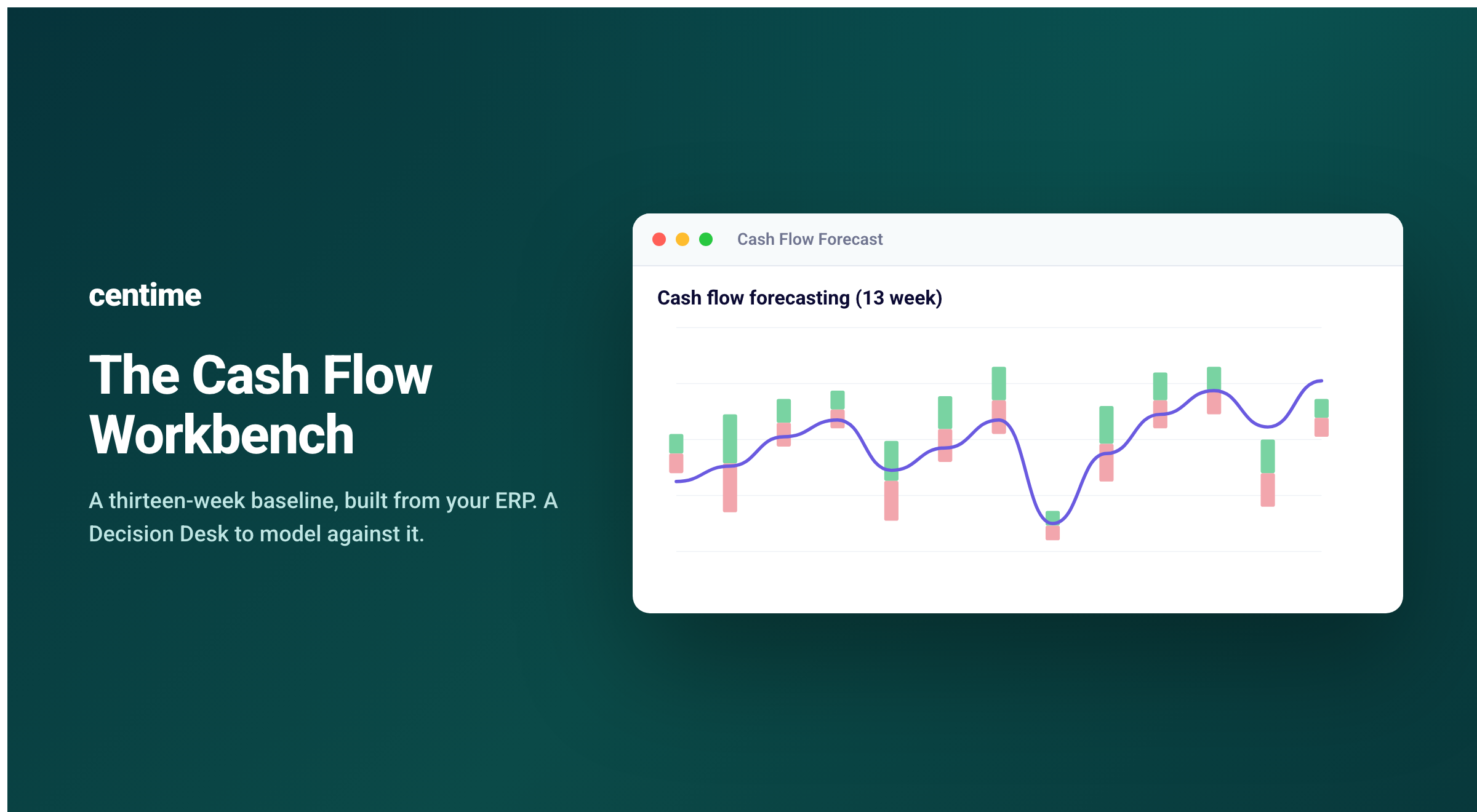
A cash forecast cannot possibly be accurate.
It cannot know the future, and so it cannot account for the events that have not happened yet: the second location opening in the next 30 days, the hiring freeze brought on by an abrupt downturn in the economy, the dependable customer who stretches from thirty days to sixty, the supplier who demands new terms at renewal.
A cash forecast is usually built from a historical transaction record and can and should carry forward the patterns history holds. However, the decisions and the shocks that set thirteen weeks of cash are, by their nature, absent from the record.
This is the flaw at the center of the best cash forecasting software: built from history, and sold on accuracy, but accuracy is the one thing a forecast cannot guarantee.
Finance leaders tend to know this, even if they don't always articulate it. Almost all of them maintain a cash forecast, the classic thirteen-week view of money coming in and going out: how would they function without one? Most built it themselves over years, in a spreadsheet shaped around how their business collects, pays, and spends, and they guard that model for good reason.
And this is the way the cash forecasting process has run for years and years. Finance teams are not naive, and they do not do things manually because they like it this way.
Surveys by the Association for Financial Professionals and Deloitte put the reason plainly: teams spend 70 to 80 percent of the forecasting cycle just consolidating data, a typical controller loses 15 or more hours a week to assembling the model, and by the time it is built the numbers are already 7 to 10 days stale. Deloitte's CFO Signals finds that 80 percent of finance chiefs are held back by fragmented, rearview-mirror reporting.
Teams carry that burden because the forecast matters, and because nothing offered to replace it has earned the trust to take it off their hands.
Start with the baseline, then bend it to your business
The work of an equity analyst at a mutual fund is the model worth emulating. No analyst decides to buy or sell by projecting a company's future straight from its past. The reported results are essential, and no serious analyst works without them, yet none mistakes them for a forecast of what the company will do next.
The equity analyst uses her judgment, expertise, and keen knowledge to model scenarios that could impact the company's performance under different assumptions before making investment decisions.
A cash forecast belongs in the same category. It should begin with a baseline drawn from the full corpus of a company's transactions, structured in the shape of the business, with forecasting and reporting categories set to the levers that actually drive performance. That baseline is necessary, and it gets a team to the starting gate.
The trustworthy cash forecast comes from what the finance team does next: taking the baseline and bending it with the scenarios that are plausible, implausible, and planned, to see where cash lands under each.
A baseline cash forecast paired with a cash forecasting workbench that makes it possible to flexibly model "what if" scenarios is what a modern cash forecasting solution should aim to provide.
Towards a cash forecasting workbench
A cash forecasting workbench has two parts.
The first is the baseline thirteen-week forecast built using the direct method, crafted from the company's actual and projected financial transaction data. This forecast projects recurring expenses and income, models the customer invoiced on net 30 who reliably pays on day 42, incorporates the seasonal rise and fall in receipts, the fixed costs that repeat each month, all grouped and reported in custom defined categories that the management uses to run the business.
The second part is where the finance team works, in what Centime calls the Decision Desk. A scenario is posed in plain language, and the thirteen-week position adjusts to answer it. A controller can ask what happens to the week 8 cash floor if the largest customer misses its next three payments. A construction team can move a $200k project milestone from week 4 to week 8 while holding subcontractor payments on schedule. A medical group can model a fifteen-day delay in reimbursement from a major payer and read the result on payroll headroom. Each question returns a revised forecast at once, so the decision gets made against its consequence rather than ahead of it.
The prompts range from universal levers that apply to any business to the vocabulary of a specific industry.
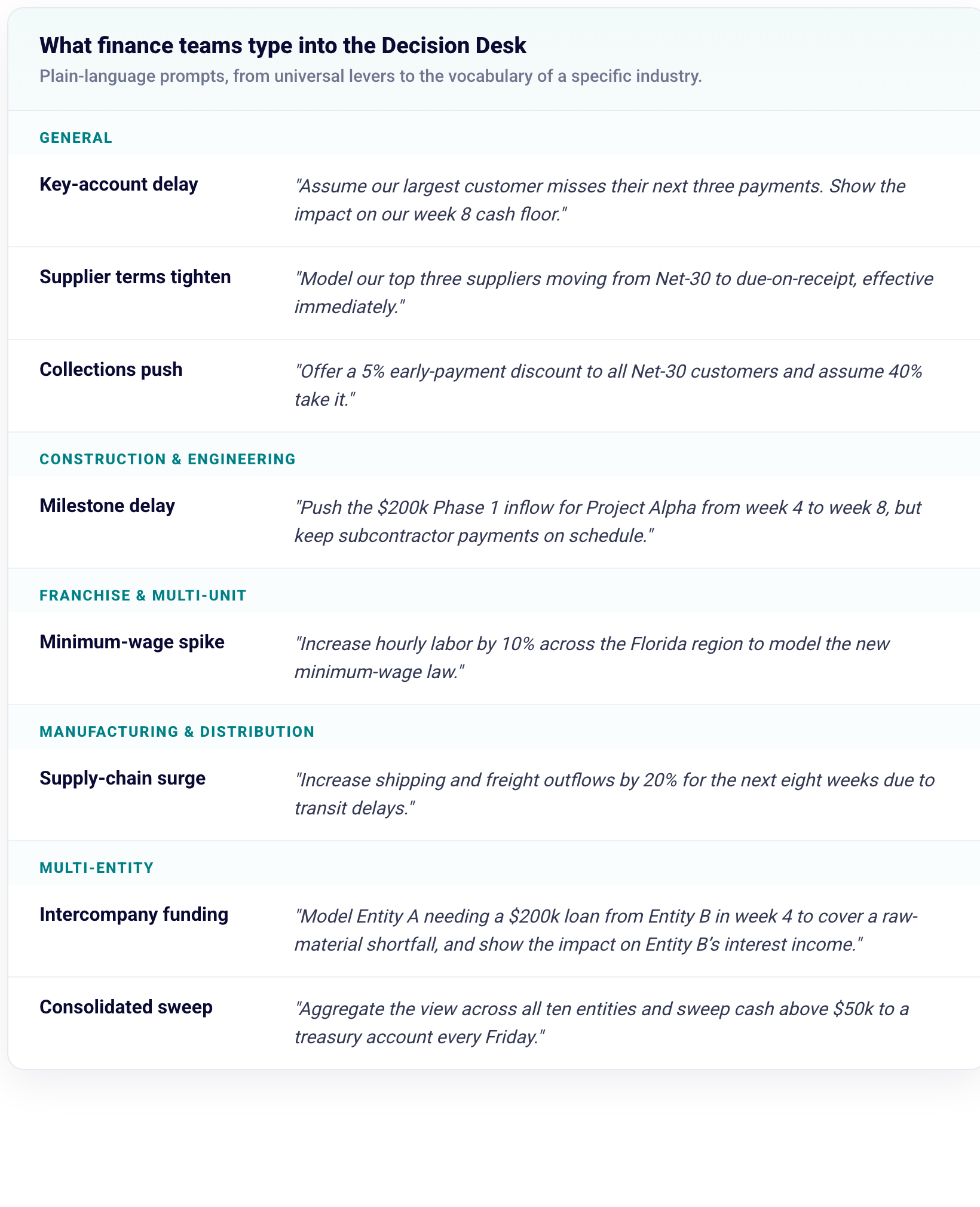
The difficulty compounds across entities. A franchise group, a holding company, or a diversified real-estate portfolio keeps a separate ledger and bank relationship for every unit, and most of the manual forecasting cycle is spent consolidating them into one view, the step finance teams call getting to zero, before any modeling can start. A workbench that aggregates the entities runs a single scenario across all of them at once. It can sweep every entity's cash above a set floor to a treasury account each Friday, or fund an intercompany loan from one entity to cover another's shortfall, and show both the group position and each entity's.
The baseline shows where cash is heading if the business is very repeatable and external conditions are steady and don't change. The scenarios show where it goes when the assumptions change, which over any real quarter they do.
Inside the Cash Flow Workbench
Two familiar tools each solve half of this. A standalone forecasting tool pulls a copy of the ERP data across, and the copy lags a day or more behind the ledger. ERP-native reporting reads the ledger directly but only reports; it cannot model. A workbench built into the ERP does both. It reads the same records as the ledger, with no copy and no lag, and it is built to be modeled against, and because the same platform also runs accounts payable, accounts receivable, and expense management, the forecast is wired to the operations that move the cash.
In the Centime Cash Flow Workbench that takes a few concrete forms.
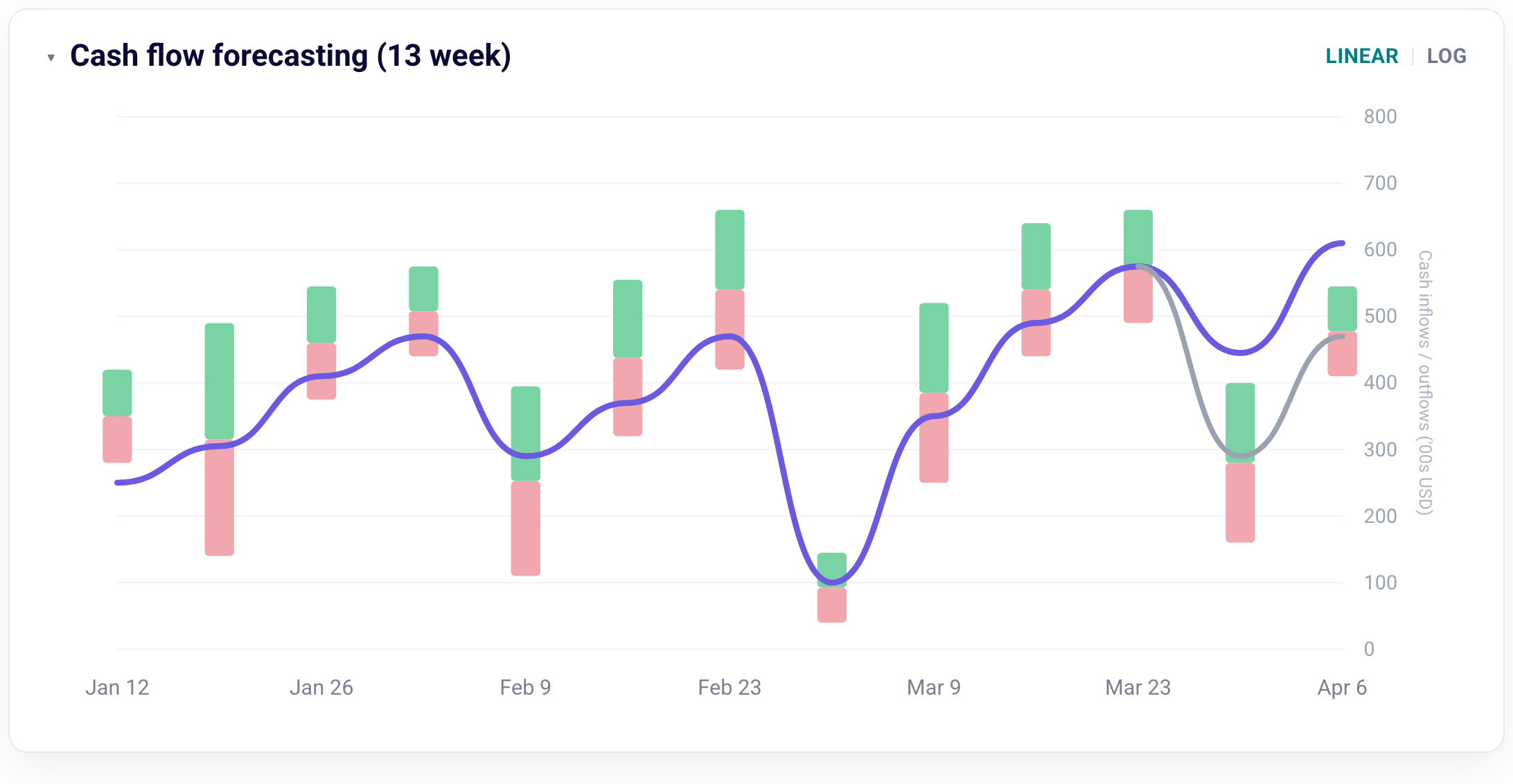
The baseline, generated for you. A machine-learning model reads the company's ERP and banking history and builds the thirteen-week baseline, including learned payment timing, so the net-30 customer who pays on day 42 is forecast on day 42.
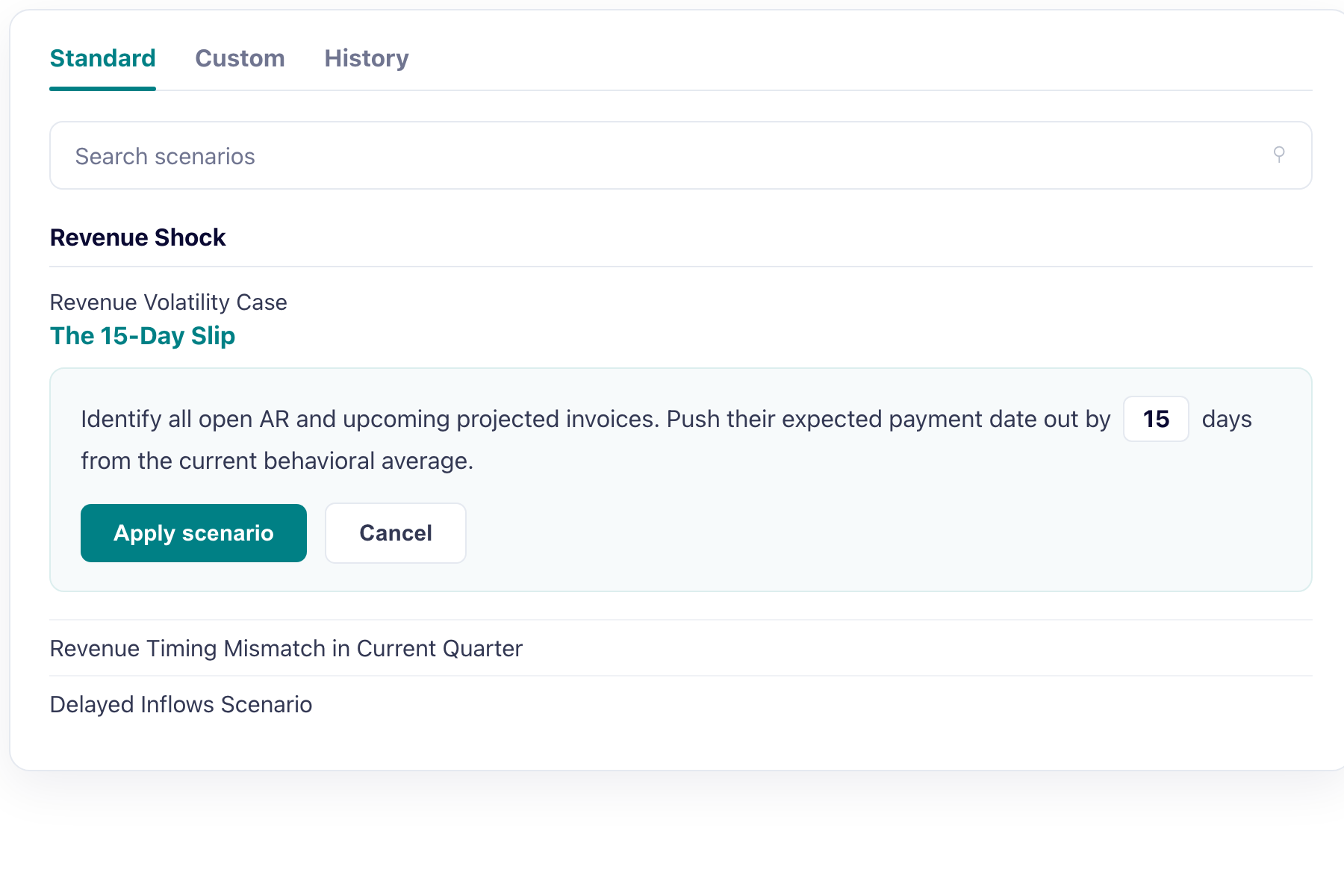
The Decision Desk. Scenarios are entered in plain language and answered on the thirteen-week horizon in seconds, from a single moved receivable to a multi-entity cash sweep.
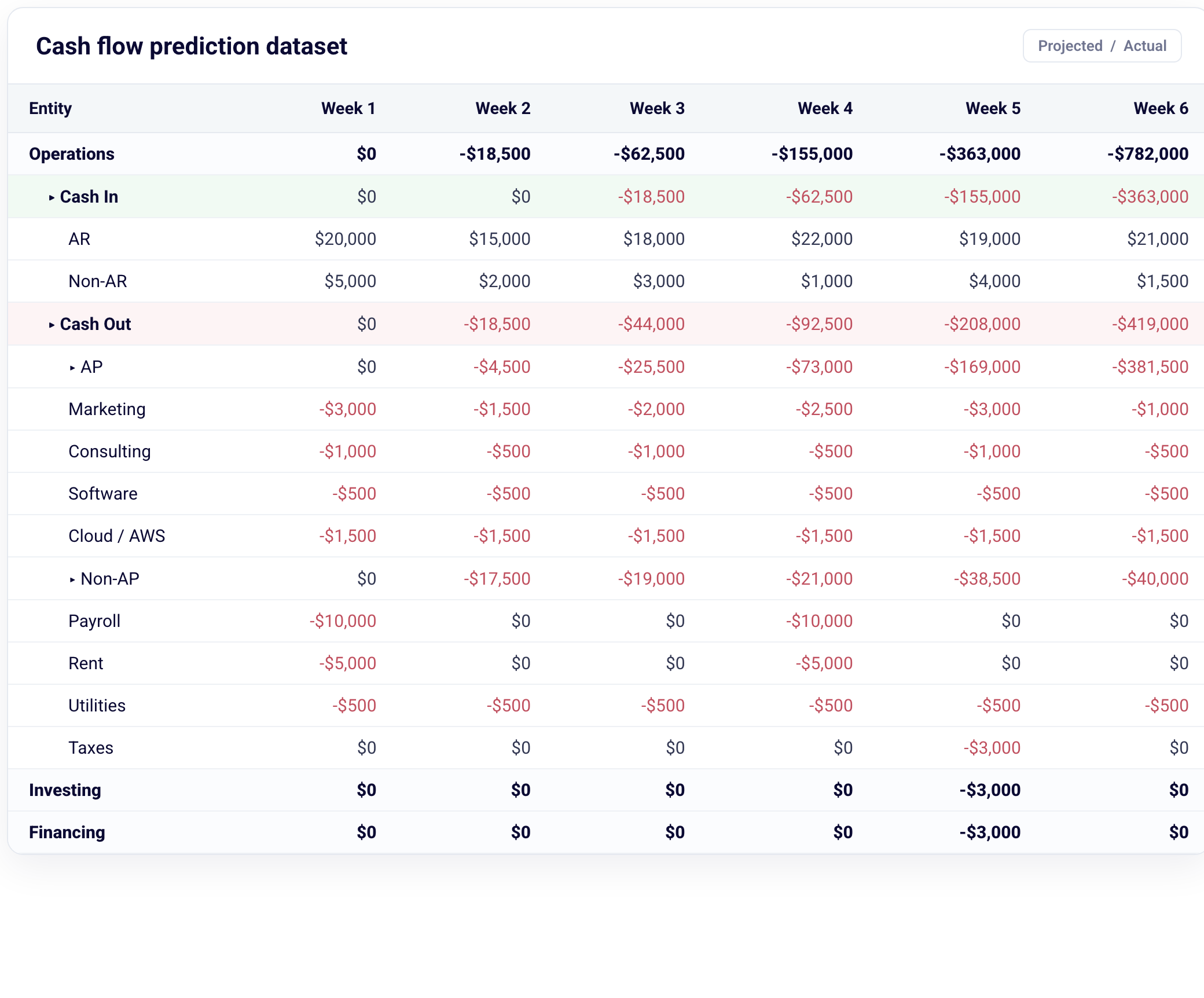
Actuals to the invoice. The forecast reads down to the invoice and toggles between projected and actual, so every number can be traced back to the ledger it came from.
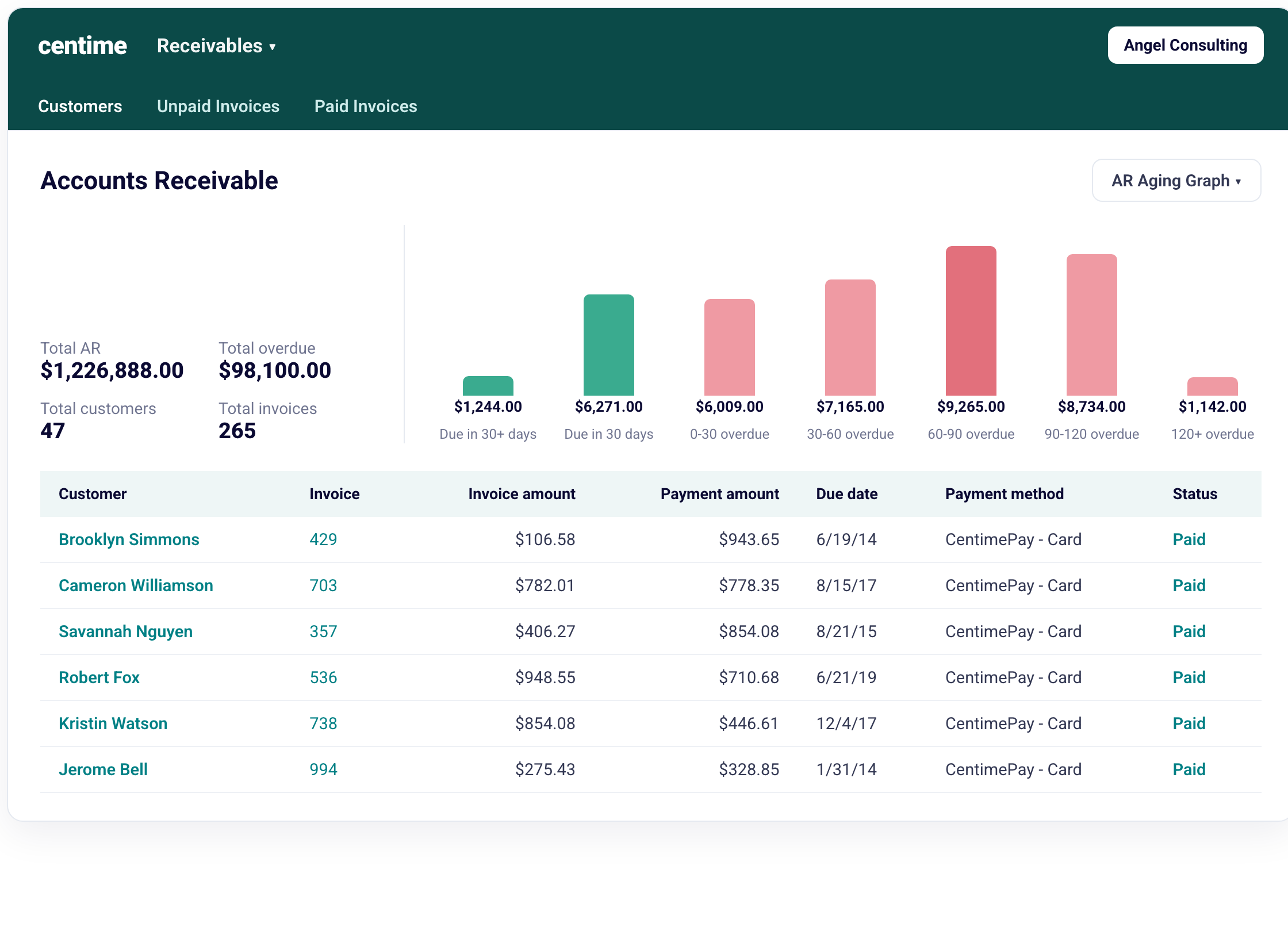
Connected to AP and AR. Because payables, receivables, and expense run on the same platform, a payment run or a collection updates the forecast as it happens, not on the next overnight sync.
AP and AR teams can really benefit
Corporate controllers managing AP and AR teams can use a cash forecasting workbench to formalize what they do informally and inconsistently.
Payables and receivables teams already run scenarios, though not formally, and not always consistently.
Every day, an accounts payable manager decides which suppliers to pay, when, how much, and by which method, and an accounts receivable manager decides which collections to prioritize and in what order. Each of those decisions is made by first pressure testing the scenario. What is the impact to my cash balance at the end of the quarter if I delay payments by two weeks? Taking an early-payment discount or holding the cash is a judgment about the weeks ahead. Prioritizing a long-overdue invoice is not always the same as pressing the one that most affects next week. Drawing on a credit line rather than waiting carries a cost that only makes sense against a view of when the cash returns.
These are scenario decisions, made in a manager's head against a forecast that is usually not in front of them. Most businesses do this implicitly. A cash forecasting workbench formalizes the decision for AP and AR teams. A payment run shows its effect on the position before it is released. A collection updates the forecast as it clears. The modeling that was always happening becomes explicit, and the person making the call can see the consequence first.
The economics
The value is measurable, in time and in capital, and the figures here are illustrative rather than promised. Take a $20 million manufacturer running two entities on NetSuite. The time recovered is roughly 15 hours a month that had gone to rebuilding the forecast in Excel, about $18,000 a year at a fully burdened rate. The larger figure is capital. Taking five days out of days sales outstanding puts around $275,000 back on the balance sheet, saves about $22,000 in interest, and the forward visibility that makes early payment safe captures roughly $8,000 in vendor discounts. Add the technical defaults and high-interest bridge loans that real-time visibility helps avoid, and the return runs to several times the cost, with most teams reaching it inside a quarter. None of it depends on the forecast being more accurate in the predictive sense. It depends on the forecast being usable.
A forecast you can make your own
A forecast earns trust when a team can easily start with a trustworthy baseline and then modify it so it represents the actual business scenarios they are likely to face. Software sold on unreliable accuracy sets up the disappointment finance leaders have already learned to expect, because the certainty was never on offer. A tool that provides a solid baseline and a place to model against it does the work the promise could not. No mutual-fund analyst decides by projecting a company's future from its past. They build a model and test it against the outcomes they cannot rule out. In cash, the workbench is that model, and the finance team is the analyst.
The best forecast is the one a team reaches for most often. Its worth is set by how many questions it can answer before the quarter forces the answers on its own. A prediction can only wait to be proven wrong. A model earns its keep every week it is used.
Frequently asked questions
How is a cash forecast different from a budget?
A budget measures performance against plan, on accrual logic, across months and quarters. The classic thirteen-week cash forecast measures timing, on cash logic, across the coming weeks: when money will actually arrive and leave. Both are necessary. A company can be on budget and still short of cash when inflows and outflows fall out of sequence, and it can run over budget in a month and still be comfortable because collections arrived early. That timing gap is the one a budget was never built to reveal.
Why can't a cash forecast be accurate?
Because it cannot know the future. A forecast built from history carries forward the patterns history contains, but the events that set a given week's cash, a lost account, a pulled-forward project, a change in customer or supplier terms, are not in the record. A forecast is most useful as a baseline to model decisions against, not as a prediction to be trusted on its own.
What is a cash forecasting workbench?
A cash forecasting environment with two parts: a baseline generated from a company's own ERP and banking data, and a modeling layer, the Decision Desk, where a finance team poses scenarios in plain language and sees the effect on the thirteen-week position immediately.
Does a cash forecasting workbench work with NetSuite, QuickBooks, Sage Intacct, or Microsoft Dynamics?
Yes. A workbench that reads directly from the ledger depends on close integration with the accounting system, so it fits teams running NetSuite, QuickBooks, Sage Intacct, or Microsoft Dynamics 365.